
| 参数 | 说明 | 默认值 |
|---|---|---|
| source | 设置爬虫。 | google_search |
| query | 要搜索的关键词或短语。 | - |
render | 当设置为 html. 时启用 JavaScript 渲染. | - |
parse | 当设置为 true时返回已解析数据。查看输出 数据字典. | false |
callback_url | 回调端点的 URL。 时启用 JavaScript 渲染. | - |
user_agent_type | 设备类型和浏览器。完整列表可见 此处. | desktop |
| 参数 | 说明 | 默认值 |
|---|---|---|
geo_location | 结果应适配到的地理位置。正确使用此参数对于获取正确数据极其重要。有关更多信息,请阅读我们建议的 geo_location 参数结构 此处. | - |
locale | Accept-Language header value which changes your Google search page web interface language. 时启用 JavaScript 渲染. | - |
context:results_language | 结果语言。支持的 Google 语言列表可见 此处. 了解如何使用上下文参数 此处. | - |
| 参数 | 说明 | 默认值 |
|---|---|---|
start_page | 起始页码。 | 1 |
pages | 要检索的页数。 | 1 |
limit | 每页要检索的结果数。 | 10 |
context:limit_per_page | 使用相同的 IP 地址和会话(cookie 集)抓取多页。通过在 JSON 数组中指定页面编号,并使用 page 键,且使用 limit 键指示每页自然结果的数量,您可以最大限度地减少跨页出现重叠自然结果的可能性(例如,第一页的最后一个自然结果与第二页的第一个自然结果相同)。 查看示例. | - |
| 参数 | 说明 | 示例 |
|---|---|---|
page | 您想抓取的页面编号。任何大于 0 的整数值都可以 | 1 |
limit | 相关页面上的结果数。介于 1 和 100 (含)之间的任何整数值都可以。 | 90 |
| 参数 | 说明 | 默认值 |
|---|---|---|
context:filter | 将此参数的值设为 0 可让您看到本会因与其他结果相似而被排除的结果。 | 1 |
context:safe_search | 安全搜索。设置为 true 以启用。 | false |
context:udm | udm 参数允许在不同搜索标签之间切换,例如图片、地点或视频,以自定义显示的结果类型。可接受的值见 此处. | - |
context:tbm | 待匹配或 tbm 参数。可接受的值有: app, blg, bks, dsc, isch, nws, pts, plcs, rcp, lcl | - |
context:tbs | 此参数类似于更隐蔽的 Google 参数容器,例如按日期限制/排序结果以及其他一些筛选器,其中部分取决于 tbm 参数(例如 tbs=app_os:1 仅在 tbm 值下可用 app)。更多信息 此处. | - |
| 参数 | 说明 | 默认值 |
|---|---|---|
context:fpstate | 将 fpstate 值设为 aig 会让 Google 加载更多应用。此参数仅在与 render 参数一起使用时有用。 | - |
context:nfpr | true 将关闭拼写自动更正 | false |
google_search 结构化输出| 键名 | 说明 | 类型 |
|---|---|---|
url | Google 搜索页面的 URL。 | 字符串 |
page | 相对于 Google SERP 分页的页码。 | 整数 |
results | 包含搜索结果的字典。 | 对象 |
results.pla | 包含各自详细信息的商品列表广告列表。 | 对象 |
results.paid | 包含各自详细信息的赞助结果列表。 | 数组 |
results.images | 包含各自详细信息的图片结果列表。 | 对象 |
results.flights | 包含各自详细信息的航班列表。 | 对象 |
results.organic | 包含各自详细信息的未付费列表。 | 数组 |
results.organic_videos | 包含各自详细信息的自然视频列表。 | 数组 |
results.top_sights | 包含各自详细信息的著名地标或景点列表。 | 数组 |
results.jobs | 包含各自详细信息的职位列表。 | 对象 |
results.local_service_ads | 赞助的本地服务提供商列表。 | 对象 |
results.video_boxes | SERP 中的视频框及其各自详细信息。 | 数组 |
results.recipes | 包含各自详细信息的食谱列表。 | 对象 |
results.twitter | 包含各自详细信息的 Twitter (X) 结果列表。 | 数组 |
results.knowledge | 从知识面板获取的相关信息列表。 | 对象 |
results.local_pack | 包含与搜索相关的本地商家列表。 | 对象 |
results.item_carousel | 针对信息查询的说明性项目列表及其各自详细信息。 | 对象 |
results.videos | 包含各自详细信息的视频列表。 | 对象 |
results.hotels | 与搜索查询中使用的位置相关的酒店列表。 | 对象 |
results.apps | 包含各自详细信息的应用列表。 | 数组 |
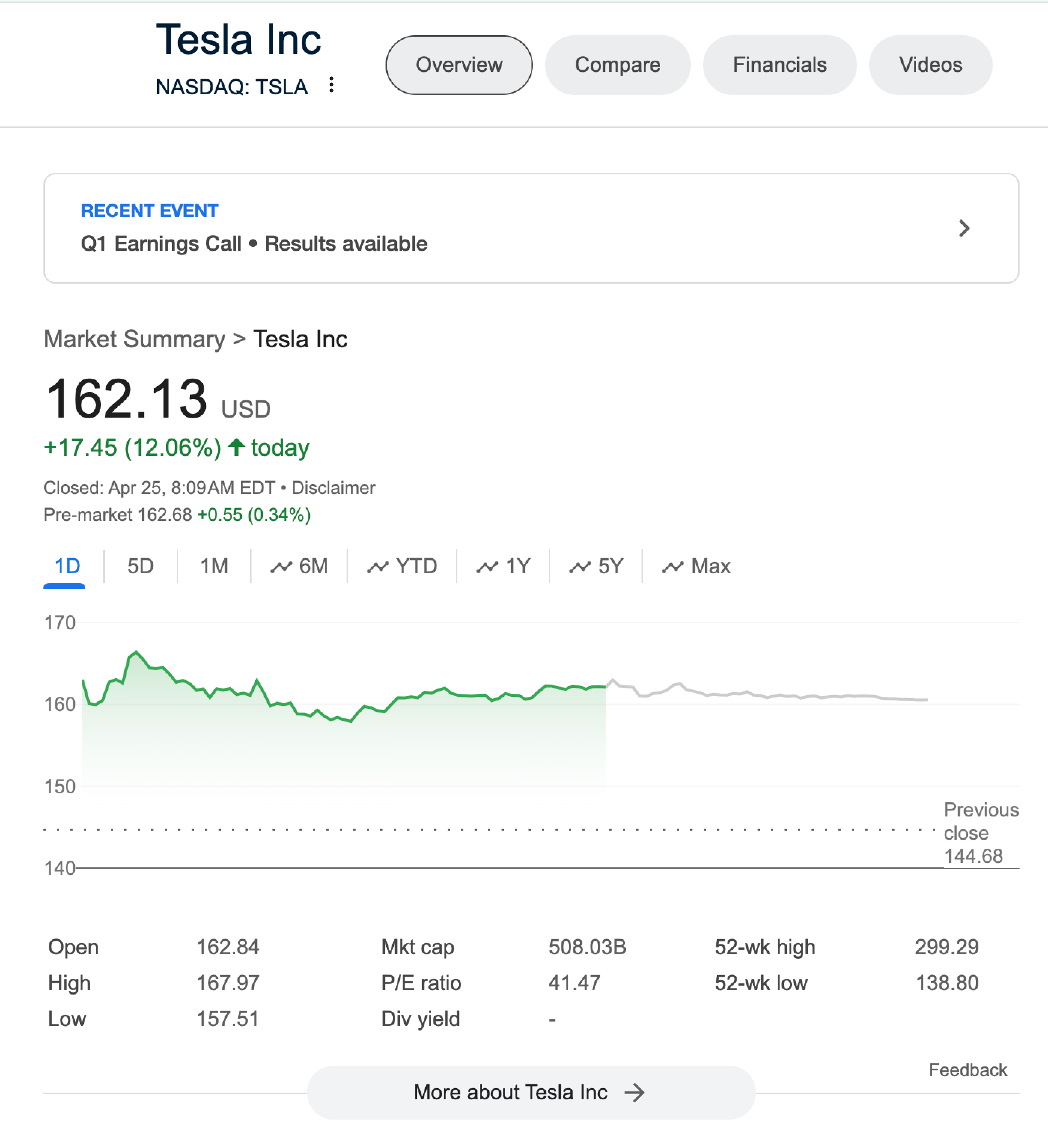
results.finance | 公司的财务数据摘要,包括股价、市值和其他关键指标。 | 对象 |
results.sports_games | 近期体育比赛信息,详细说明比分、球队、比赛类型和亮点。 | 对象 |
results.discussions_and_forums | 带有 URL、标题、来源和评论数的讨论线程和论坛帖子列表。 | 对象 |
results.featured_snippet | 从 SERP 的自然结果部分检索到的特定结果列表。 | 数组 |
results.top_stories | 当搜索查询被识别为新闻导向时,显示其各自详细信息的文章列表。 | 对象 |
results.popular_products | Google Shopping 商品列表的未付费和自然展示列表及其各自详细信息。 | 对象 |
results.related_searches | 搜索页面上不同位置展示的一个或多个相关搜索块列表。 | 数组 |
results.related_questions | 相关疑问式搜索查询列表及其各自详细信息。 | 对象 |
results.what_people_are_saying | 带有 URL、标题、来源、热门评论、参与度和时间范围的讨论线程和论坛帖子列表。 | 数组 |
results.search_information | 已提交搜索查询的详细信息列表。 | 对象 |
total_results_count | 搜索查询找到的结果总数。 | 字符串 |
last_visible_page | 标识搜索查询结果页中可见最大页码的值。(当通过滚动开始加载更多结果时为 -1)。 | 整数 |
parse_status_code | 解析任务的状态码。你可以查看已描述的解析器状态码 此处. | 整数 |
created_at | 抓取任务创建时的时间戳。 | timestamp |
updated_at | 抓取任务完成时的时间戳。 | timestamp |
job_id | 与抓取任务关联的任务 ID。 | 字符串 |
status_code | 抓取任务的状态码。你可以查看已描述的抓取器状态码 此处. | 整数 |
parser_type | 用于拆分 HTML 内容的解析器类型。 | 字符串 |

| 键(results.pla) | 说明 | 类型 | 布局 |
|---|---|---|---|
items | 页面中可用的所有 PLA。 | 数组 | 桌面端和移动端 |
items.pos | 表示某个项目在 PLA 结果中的位置。 | 整数 | 桌面端和移动端 |
items.url | 商品的 URL。 | 字符串 | 桌面端和移动端 |
items.price | 列表广告中的商品价格。 | 字符串 | 桌面端和移动端 |
items.title | 列表广告中的商品标题。 | 字符串 | 桌面端和移动端 |
items.seller | 列表广告中的商品卖家。 | 字符串 | 桌面端和移动端 |
items.url_image | 商品图片的 URL。 | 字符串 | 桌面端 |
items.image_data | 商品的 base64 编码缩略图。 | 字符串 | 桌面端和移动端 |
pos_overall | 表示 PLA SERP 功能在 SERP 中的位置。 | 整数 | 桌面端和移动端 |
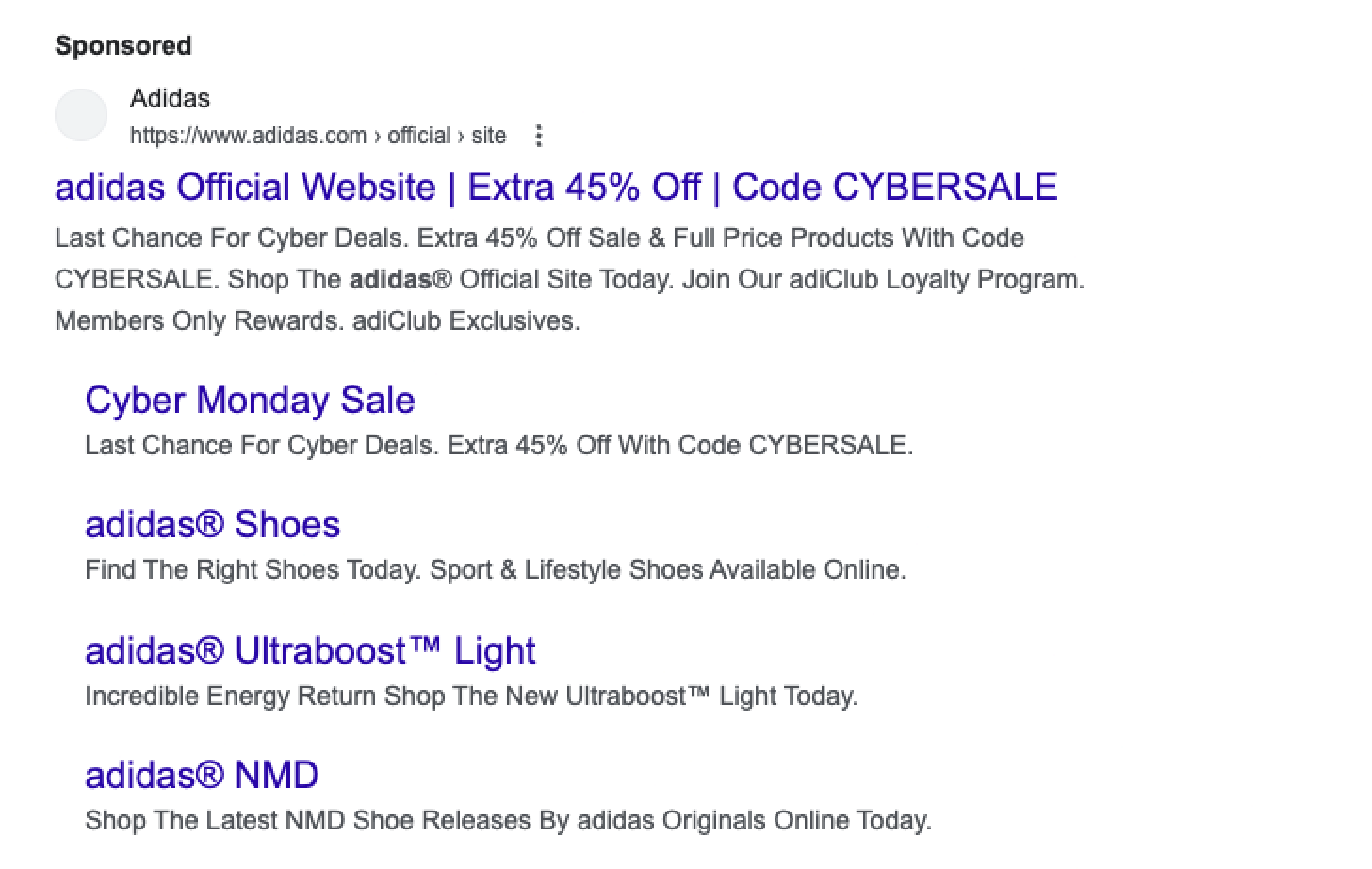
| 键(results.paid) | 说明 | 类型 | 布局 |
|---|---|---|---|
pos | 表示某个项目在付费结果中的位置。 | 整数 | 桌面端和移动端 |
url | 付费结果的 URL。 | 字符串 | 桌面端和移动端 |
desc | 付费结果的简短描述。 | 字符串 | 桌面端和移动端 |
title | 付费结果的标题。 | 字符串 | 桌面端和移动端 |
data_rw | 付费结果的重定向 URL。 | 字符串 | 桌面端和移动端 |
sitelinks | 包含网站内部链接信息的对象,该对象显示在 Google 第一条搜索结果下方。 | 对象 | 桌面端和移动端 |
sitelinks.inline/expanded | 包含 URL 及其各自详细信息的列表。键名(`inline`/`expanded`)指定了 sitelinks 元素的类型。 | 数组 | 桌面端和移动端 |
sitelinks.inline.url | 链接网站的 URL。 | 字符串 | 桌面端和移动端 |
sitelinks.inline.title | 链接网站的标题。 | 字符串 | 桌面端和移动端 |
sitelinks.inline.description | 链接网站的简短描述。 | 字符串 | 桌面端 |
url_shown | 描述下方可见的短 URL。 | 字符串 | 桌面端和移动端 |
pos_overall | 表示付费结果在 SERP 中的位置。 | 整数 | 桌面端和移动端 |

| 键(results.images) | 说明 | 类型 | 布局 |
|---|---|---|---|
items | 包含各自详细信息的图片列表。 | 数组 | 桌面端和移动端 |
items.alt | 图片的替代文本。 | 字符串 | 桌面端和移动端 |
items.pos | 表示图片在列表中位置的唯一标识。 | 整数 | 桌面端和移动端 |
items.url | 包含图片的网页 URL。 | 字符串 | 桌面端和移动端 |
pos_overall | 表示 Images SERP 功能在 SERP 中的位置。 | 整数 | 桌面端和移动端 |

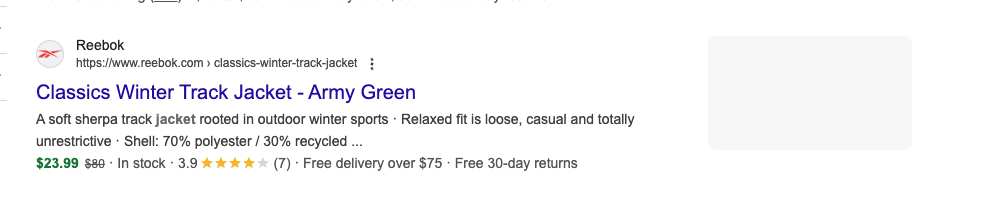
| results.organic 的键 | 说明 | 类型 | 布局 |
|---|---|---|---|
pos | 表示某个项目在自然结果中的位置。 | 整数 | 桌面端和移动端 |
url | 自然结果的 URL。 | 字符串 | 桌面端和移动端 |
desc | 自然结果的简短描述。 | 字符串 | 桌面端和移动端 |
title | 自然结果的标题。 | 字符串 | 桌面端和移动端 |
images | 自然结果的 base64 编码缩略图。 | 字符串 | 桌面端和移动端 |
sitelinks | 对象包含 `expanded` 或 `inline` 元素,其中提供了更多 sitelinks 详细信息。 | 对象 | 桌面端和移动端 |
sitelinks.expanded/inline | 自然结果的 sitelinks 列表。键名(inline/expanded)指定 sitelinks 元素的类型。 | 数组 | 桌面端和移动端 |
sitelinks.expanded.url | 链接网站的 URL。 | 字符串 | 桌面端和移动端 |
sitelinks.expanded.title | 链接网站的标题。 | 字符串 | 桌面端和移动端 |
url_shown | 描述下方可见的短 URL。 | 字符串 | 桌面端和移动端 |
pos_overall | 表示 Organic 结果在 SERP 中的位置。 | 整数 | 桌面端和移动端 |
favicon_text | 与 favicon(网站图标)关联的文本或名称。 | 字符串 | 桌面端 |
rating | 商品或内容的平均评分。 | 浮点数 | 桌面端 |
review_count | 与商品或内容相关的评论数量。 | 整数 | 桌面端 |
additional_info | 包含价格、可用性、商品评分、配送选项、退货政策等详细信息。 | 字符串列表 | 桌面端 |
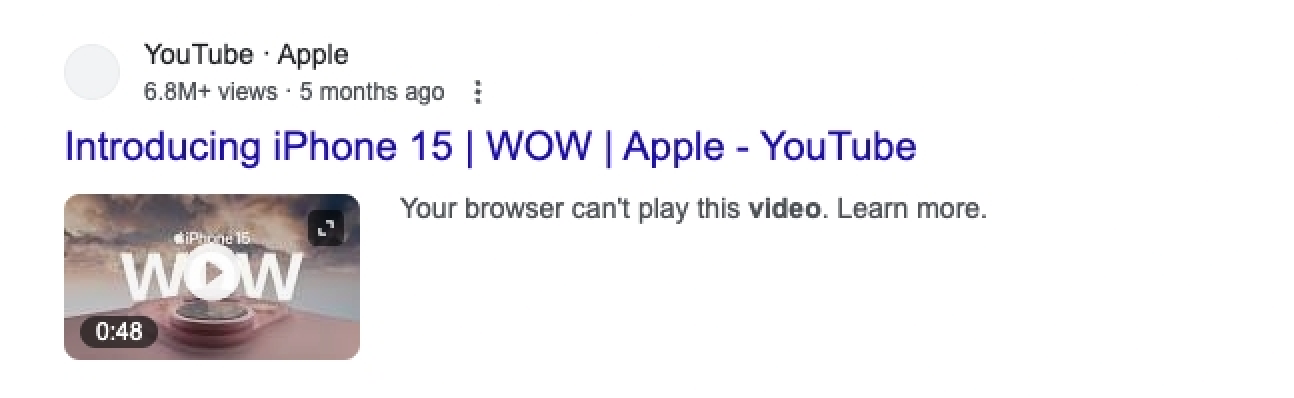
| results.organic_videos 的键 | 说明 | 类型 | 布局 |
|---|---|---|---|
pos | 表示某个项目在自然视频结果中的位置。 | 整数 | 桌面端 |
url | 视频的 URL。 | 字符串 | 桌面端 |
desc | 视频的简短描述。 | 字符串 | 桌面端 |
title | 视频的标题。 | 字符串 | 桌面端 |
pos_overall | 表示 Organic Video 结果在 SERP 中的位置。 | 整数 | 桌面端 |

| results.top_sights 的键 | 说明 | 类型 | 布局 |
|---|---|---|---|
items | 包含各自详细信息的热门景点列表。 | 数组 | 桌面端 |
items.pos | Top Sights 结果在 Top Sights SERP 功能中的位置。 | 整数 | 桌面端 |
items.title | 旅游景点的标题。 | 字符串 | 桌面端 |
pos_overall | 表示 Top Sights 结果在 SERP 中的位置。 | 整数 | 桌面端 |

| results.jobs 的键 | 说明 | 类型 | 布局 |
|---|---|---|---|
listings | 页面中可用的所有职位列表数组。 | 数组 | 桌面端 |
listings.url | 完整职位列表的 URL。 | 字符串 | 桌面端 |
listings.title | 职位名称。 | 字符串 | 桌面端 |
listings.source | 包含原始职位发布的来源。 | 字符串 | 桌面端 |
listings.employer | 招聘该职位的组织。 | 字符串 | 桌面端 |
listings.location | 该职位所在地点。 | 字符串 | 桌面端 |
pos_overall | 表示 Jobs SERP 功能在 SERP 中的位置。 | 整数 | 桌面端 |
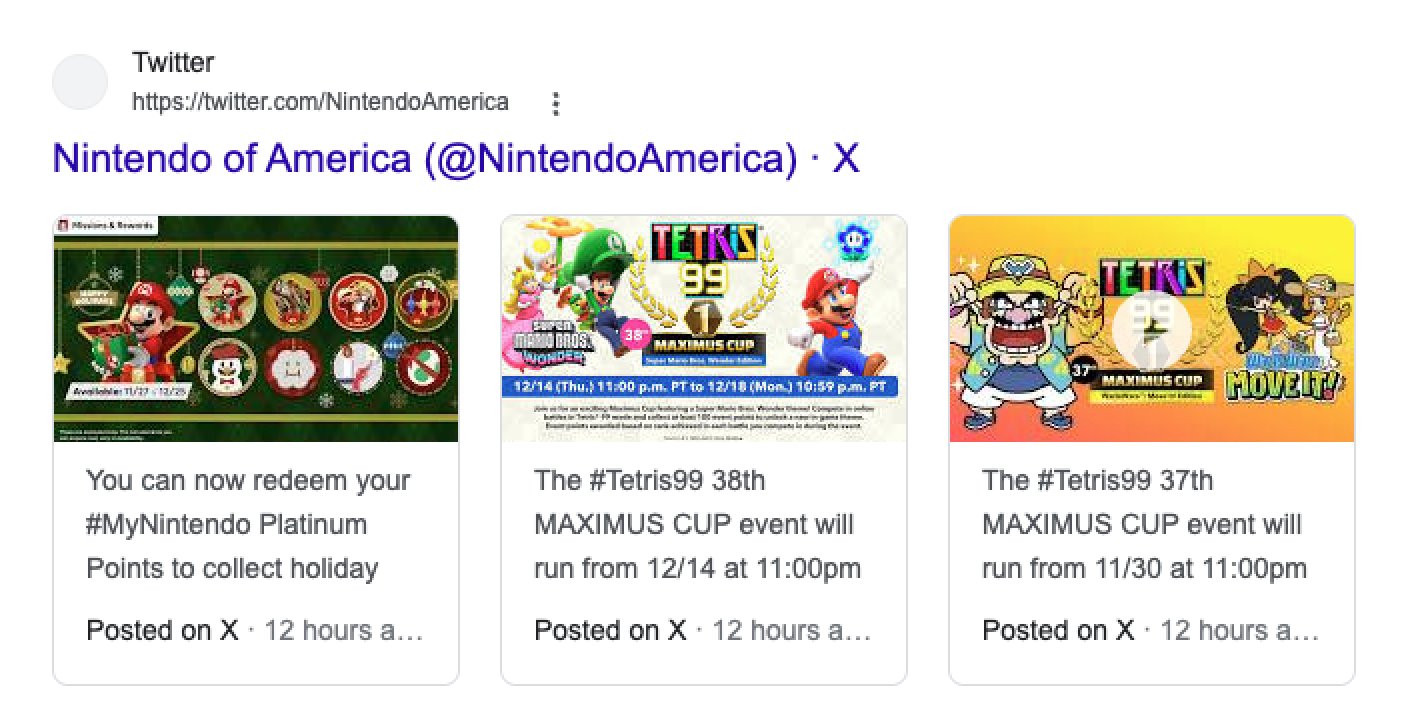
| results.twitter 的键 | 说明 | 类型 | 布局 |
|---|---|---|---|
pos | 表示某个项目在自然结果中的位置。 | 整数 | 桌面端 |
url | 包含 Twitter (X) 帖子的个人资料 URL。 | 字符串 | 桌面端 |
items | 包含各自详细信息的 Twitter (X) 帖子列表。 | 数组 | 桌面端 |
items.pos | 表示某条推文在 Twitter (X) SERP 功能中的位置。 | 字符串 | 桌面端 |
items.url | Twitter (X) 帖子的 URL。 | 字符串 | 桌面端 |
items.content | 表示相关 Twitter (X) 帖子全部文本的简短描述。 | 字符串 | 桌面端 |
items.timeframe | 描述推文创建于多久之前。 | 字符串 | 桌面端 |
title | Twitter (X) 个人资料的标题。 | 字符串 | 桌面端 |
pos_overall | 表示 Twitter 结果在 SERP 中的位置。 | 整数 | 桌面端 |
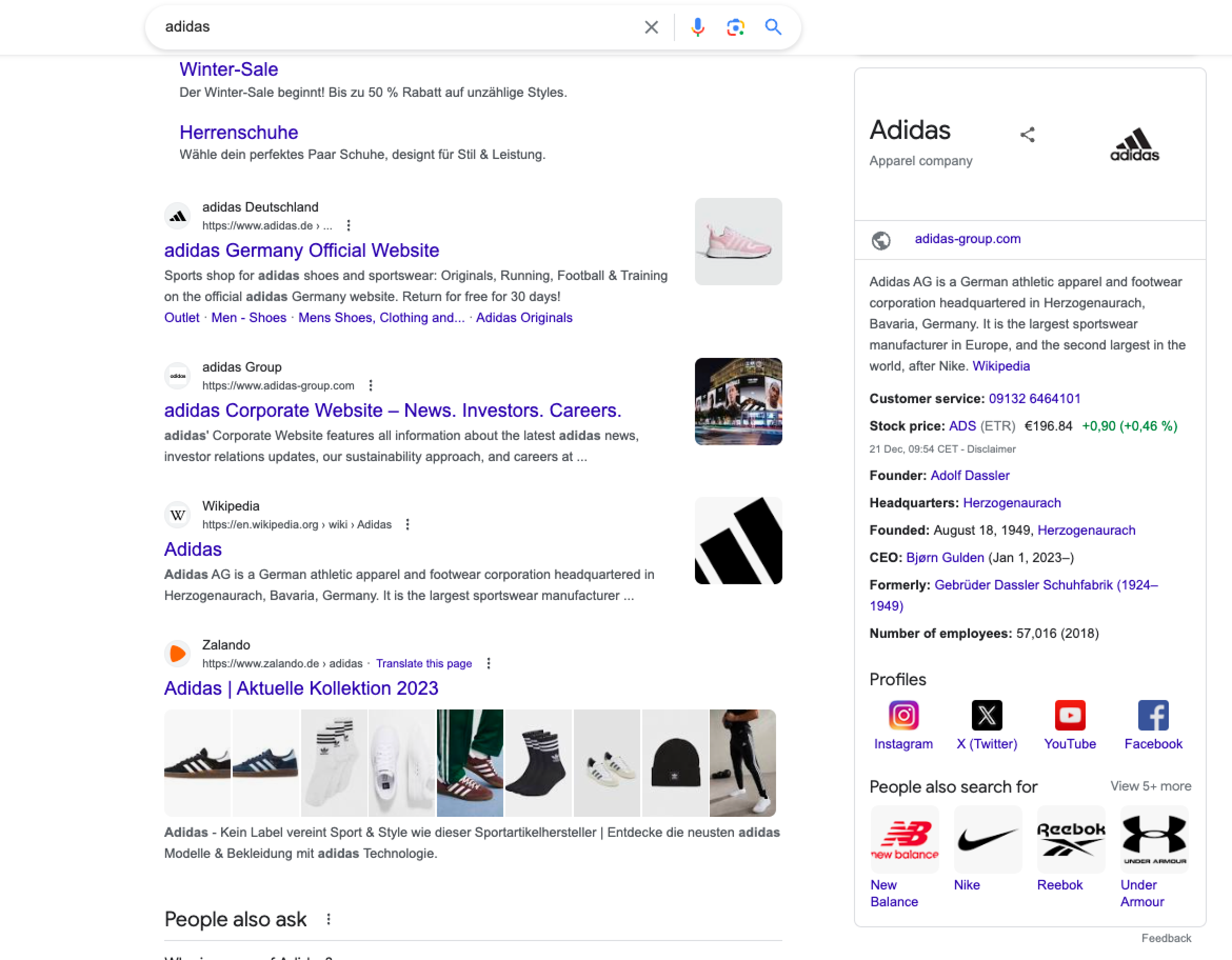
| results.knowledge 的键 | 说明 | 类型 | 布局 |
|---|---|---|---|
title | 知识面板的标题。 | 字符串 | 桌面端和移动端 |
images | 紧邻标题使用的图片列表。 | 数组 | 桌面端 |
factoids | 知识面板中使用的所有事实列表。 | 数组 | 桌面端和移动端 |
factoids.links | 与给定事实项相关的所有链接列表。 | 数组 | 桌面端和移动端 |
factoids.links.href | 指向该事实对应的 Google 搜索结果页面的超链接。 | 字符串 | 桌面端和移动端 |
factoids.links.title | 与该事实条目相关的任何链接页面的描述。 | 字符串 | 桌面端和移动端 |
factoids.title | 事实条目部分的名称。 | 字符串 | 桌面端和移动端 |
factoids.content | 该事实条目的描述。 | 字符串 | 桌面端和移动端 |
profiles | 知识面板中列出的社交媒体资料列表。 | 字符串 | 桌面端 |
profiles.url | 指向该社交媒体资料的链接。 | 字符串 | 桌面端 |
profiles.title | 社交媒体资料的标题。 | 字符串 | 桌面端 |
副标题 | 对标题中所述实体的简短说明。 | 字符串 | 桌面端和移动端 |
描述 | 表示知识面板中该实体主要信息的描述。 | 字符串 | 桌面端和移动端 |
related_searches | 相关搜索及其各自详情的列表。 | 数组 | 桌面端 |
related_searches.url | 相关搜索页面的 URL。 | 字符串 | 桌面端 |
related_searches.title | 相关搜索页面的标题。 | 字符串 | 桌面端 |
related_searches.section_title | 相关搜索部分的名称。 | 字符串 | 桌面端 |

| 键(results.local_pack) | 说明 | 类型 | 布局 |
|---|---|---|---|
items | 地点及其各自详情的列表。 | 数组 | 桌面端和移动端 |
items.cid | 分配给特定商家列表的唯一标识号。 | 字符串 | 桌面端和移动端 |
items.pos | 本地结果在本地结果包中的位置。 | 整数 | 桌面端和移动端 |
items.title | 本地实体的标题。 | 字符串 | 桌面端和移动端 |
items.rating | 本地实体的评分。 | 整数 | 桌面端和移动端 |
items.address | 本地实体的地址。 | 字符串 | 桌面端和移动端 |
items.rating_count | 本地实体的评分数量。 | 整数 | 桌面端和移动端 |
pos_overall | 本地结果包结果在 SERP 中的位置指示。 | 整数 | 桌面端和移动端 |
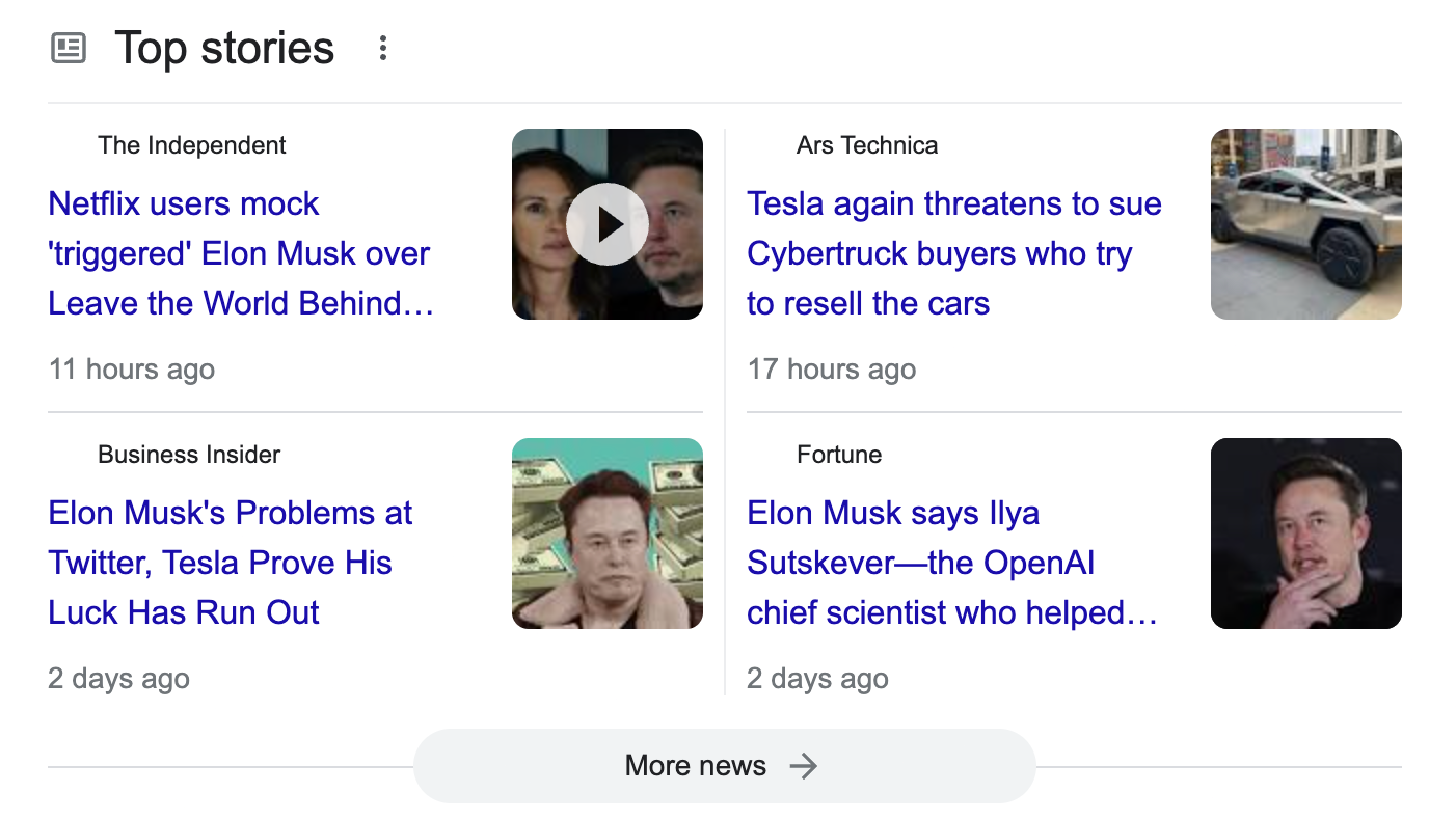
| 键(results.top_stories) | 说明 | 类型 | 布局 |
|---|---|---|---|
items | 精选新闻文章及其各自详情的列表。 | 数组 | 桌面端和移动端 |
items.pos | 文章在热门新闻 SERP 功能中的位置。 | 整数 | 桌面端和移动端 |
items.url | 完整文章的 URL。 | 字符串 | 桌面端和移动端 |
items.title | 文章标题。 | 字符串 | 桌面端和移动端 |
items.section | 热门新闻部分的名称。 | 字符串 | 移动端 |
items.source | 文章发布所在网站的名称。 | 字符串 | 桌面端和移动端 |
items.timeframe | 描述文章发表于多久之前。 | 字符串 | 桌面端 |
pos_overall | 表示热门新闻 SERP 功能在 SERP 中的整体位置。 | 整数 | 桌面端和移动端 |

| 键(results.popular_products) | 说明 | 类型 | 布局 |
|---|---|---|---|
items | 热门商品及其各自详情的列表。 | 数组 | 桌面端和移动端 |
items.pos | 用于表示某个热门商品在热门商品 SERP 功能中的位置的唯一标识。 | 整数 | 桌面端和移动端 |
items.price | 某个热门商品的价格。 | 字符串 | 桌面端和移动端 |
items.title | 某个热门商品的标题。 | 字符串 | 桌面端和移动端 |
items.rating | 某个热门商品的评分。 | 字符串 | 桌面端 |
items.seller | 某个热门商品的卖家。 | 字符串 | 桌面端 |
items.image_data | 商品的 base64 编码缩略图。 | 字符串 | 桌面端 |
pos_overall | 表示热门商品 SERP 功能在 SERP 中的整体位置。 | 整数 | 桌面端和移动端 |

| 键(results.related_searches) | 说明 | 类型 | 布局 |
|---|---|---|---|
pos_overall | 表示该相关搜索模块在搜索页面中的整体位置。 | 整数 | 桌面端和移动端 |
related_searches | 该模块中的相关搜索字符串列表。 | 数组 | 桌面端和移动端 |
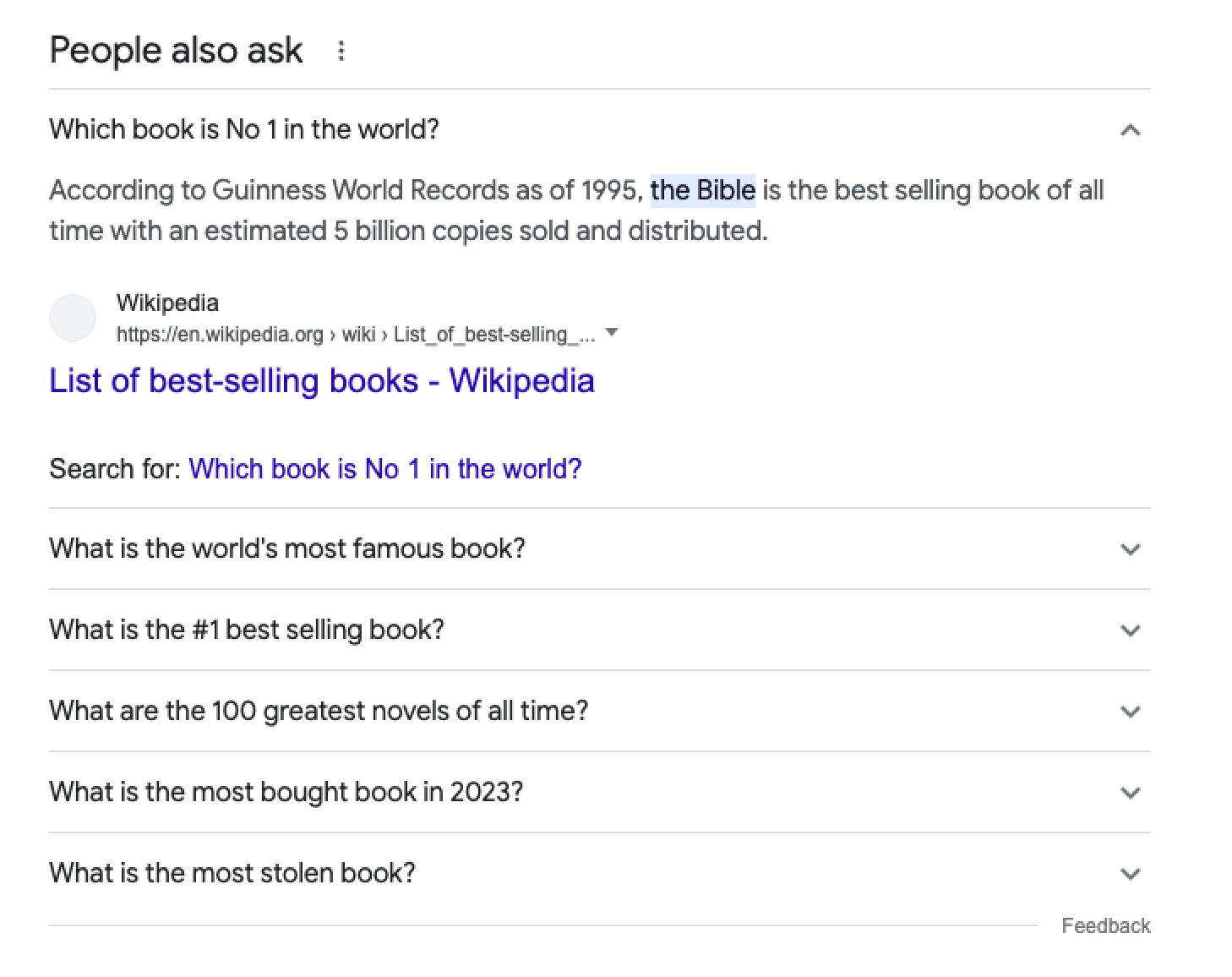
| 键(results.related_questions) | 说明 | 类型 | 布局 |
|---|---|---|---|
items | 包含所有相关问题的列表。 | 数组 | 桌面端和移动端 |
items.pos | 表示任一相关问题在相关问题 SERP 功能中的位置的唯一标识。 | 整数 | 桌面端和移动端 |
items.answer | 相关问题的答案。 | 字符串 | 桌面端和移动端 |
items.source | 包含描述问题答案来源的值。 | 对象 | 桌面端和移动端 |
items.source.url | 用于获取答案的网站 URL。 | 字符串 | 桌面端 |
items.source.title | 包含答案的网站标题。 | 字符串 | 桌面端 |
items.source.url_shown | 答案下方显示的简短 URL。 | 字符串 | 桌面端和移动端 |
items.question | 相关问题部分中的问题。 | 字符串 | 桌面端和移动端 |
pos_overall | 表示相关问题 SERP 功能在 SERP 中的整体位置。 | 整数 | 桌面端和移动端 |
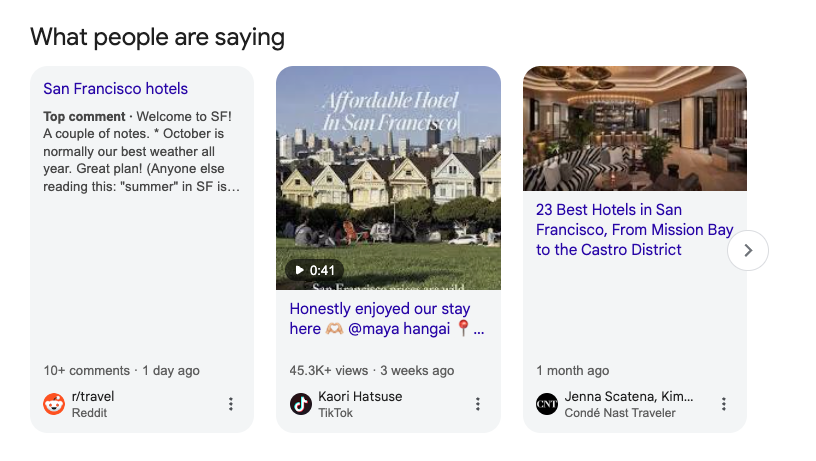
| 键(results.what_people_are_saying) | 说明 | 类型 | 布局 |
|---|---|---|---|
items | 包含所有讨论论坛或社交媒体内容项的列表。 | 数组 | 桌面端和移动端 |
items.url | 讨论线程或社交媒体内容页面的 URL。 | 整数 | 桌面端和移动端 |
items.title | 讨论线程或内容片段的标题。 | 字符串 | 桌面端和移动端 |
items.top_comments | 如果显示,讨论线程中的热门评论。 | 字符串 | 桌面端和移动端 |
items.source | 托管内容的平台或网站名称。 | 字符串 | 桌面端和移动端 |
items.engagement_timeframe | 评论数量和活跃时间范围(例如“45 条评论,2 天前”)。 | 字符串 | 桌面端和移动端 |
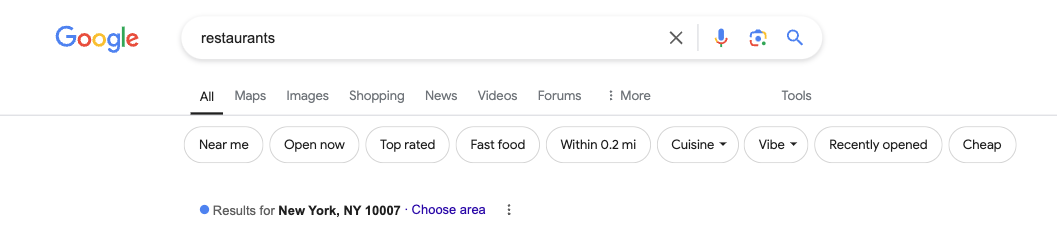
| 键(results.search_information) | 说明 | 类型 | 布局 |
|---|---|---|---|
query | 原始搜索词。 | 字符串 | 桌面端和移动端 |
geo_location * | 表示与搜索相关的具体地理区域。 | 字符串 | 桌面端 |
showing_results_for | 搜索结果所展示的搜索词。如果 Google 对提供的搜索词进行了自动更正,`query` 和 `showing_results_for` 可能不同。 | 字符串 | 桌面端和移动端 |
total_results_count | 搜索词找到的结果总数。 | 整数 | 桌面端和移动端 |

| 键(results.item_carousel) | 说明 | 类型 | 布局 |
|---|---|---|---|
items | 轮播中的项目及其各自详情的列表。 | 数组 | 桌面端 |
items.pos | 项目在轮播中的位置。 | 整数 | 桌面端 |
items.href | 指向轮播中该项目的 Google SERP 的超链接。 | 字符串 | 桌面端 |
items.title | 轮播中实体的名称/标题。 | 字符串 | 桌面端 |
items.subtitle | 标题中实体的附加详情。 | 字符串 | 桌面端 |
title | 轮播部分的标题。标题与搜索查询相关。 | 字符串 | 桌面端 |
pos_overall | 表示项目轮播结果在 SERP 中的位置。 | 整数 | 桌面端 |
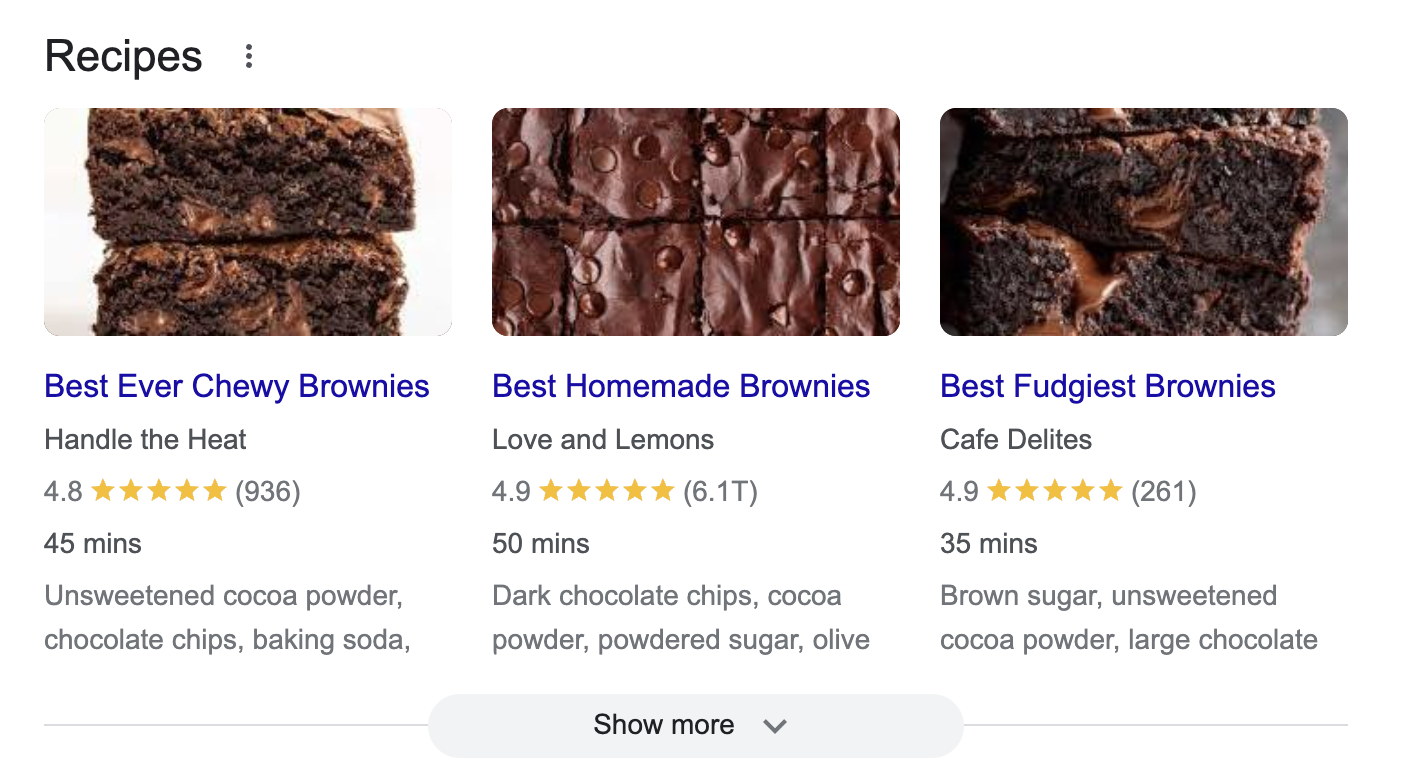
| 键(results.recipes) | 说明 | 类型 | 布局 |
|---|---|---|---|
items | 精选食谱及其各自详情的列表。 | 数组 | 桌面端和移动端 |
items.pos | 食谱在 Recipes SERP 功能中的位置。 | 整数 | 桌面端和移动端 |
items.url | 完整食谱的 URL。 | 字符串 | 桌面端和移动端 |
items.desc | 从原始文章中提取的食谱简短描述。 | 字符串 | 桌面端 |
items.title | 食谱标题。 | 字符串 | 桌面端和移动端 |
items.rating | 食谱评分。 | 整数 | 桌面端和移动端 |
items.source | 食谱所在网站的名称。 | 字符串 | 桌面端和移动端 |
items.duration | 准备该菜肴所需的时间。 | 字符串 | 桌面端和移动端 |
pos_overall | 表示食谱结果在 SERP 中的位置。 | 整数 | 桌面端和移动端 |

| 键(results.videos) | 说明 | 类型 | 布局 |
|---|---|---|---|
items | 包含视频部分所有结果的列表。 | 数组 | 桌面端和移动端 |
items.pos | 视频在列表中的位置。 | 整数 | 桌面端和移动端 |
items.url | 视频链接。 | 字符串 | 桌面端和移动端 |
items.title | 视频的标题。 | 字符串 | 桌面端和移动端 |
items.author | 上传该视频的资料名称。 | 字符串 | 桌面端和移动端 |
items.source | 托管该视频的平台名称。 | 字符串 | 桌面端和移动端 |
pos_overall | 表示视频结果在 SERP 中的位置。 | 整数 | 桌面端和移动端 |
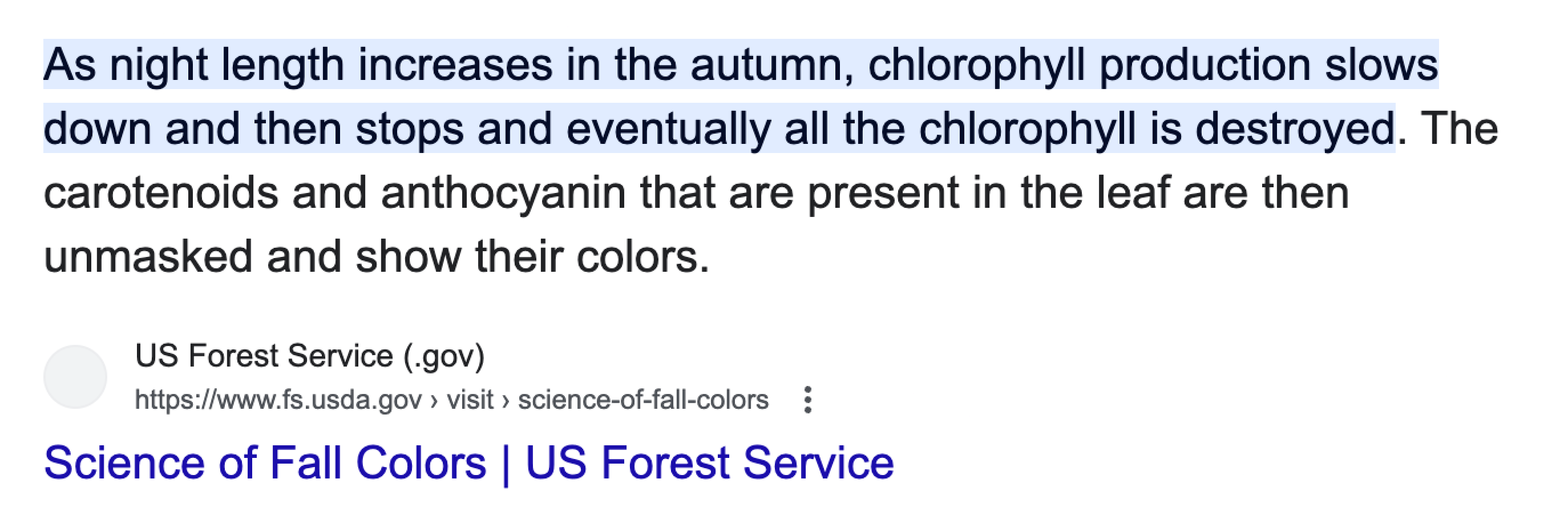
| 键(results.featured_snippet) | 说明 | 类型 | 布局 |
|---|---|---|---|
url | 用于提取该页面摘要的网站 URL。 | 字符串 | 桌面端和移动端 |
desc | 包含特定搜索结果描述的摘要。 | 字符串 | 桌面端和移动端 |
title | 提取页面摘要所在文章的名称。 | 字符串 | 桌面端和移动端 |
url_shown | SERP 中可见的精选摘要所在网站的 URL。 | 字符串 | 桌面端和移动端 |
pos_overall | 表示精选摘要结果在 SERP 中的位置。 | 整数 | 桌面端和移动端 |
| 键(results.related_searches_categorized) | 说明 | 类型 | 布局 |
|---|---|---|---|
items | 包含从 SERP 中水平轮播获取的所有相关搜索项的列表。 | 数组 | 桌面端 |
items.url | 相关搜索页面的 URL。 | 字符串 | 桌面端 |
items.title | 在浏览器中呈现的相关搜索结果名称。 | 字符串 | 桌面端 |
类别 | 包含有关相关搜索结果类别的更多详情的对象。 | 对象 | 桌面端 |
category.name | 类别名称。 | 字符串 | 桌面端 |
category.type | 相关搜索部分的类型。 | 字符串 | 桌面端 |
pos_overall | 表示分类相关搜索结果在 SERP 中的位置。 | 整数 | 桌面端 |

| 键(results.hotels) | 说明 | 类型 | 布局 |
|---|---|---|---|
date_to | 退房日期。 | 字符串 | 桌面端 |
results | 包含酒店所有详情的列表。 | 数组 | 桌面端 |
results.price | 酒店价格。 | 字符串 | 桌面端 |
results.title | 酒店名称。 | 字符串 | 桌面端 |
results.description | 酒店名称下方可见的简短说明。 | 字符串 | 桌面端 |
date_from | 入住日期。 | 字符串 | 桌面端 |
pos_overall | 表示酒店结果在 SERP 中的位置。 | 整数 | 桌面端 |
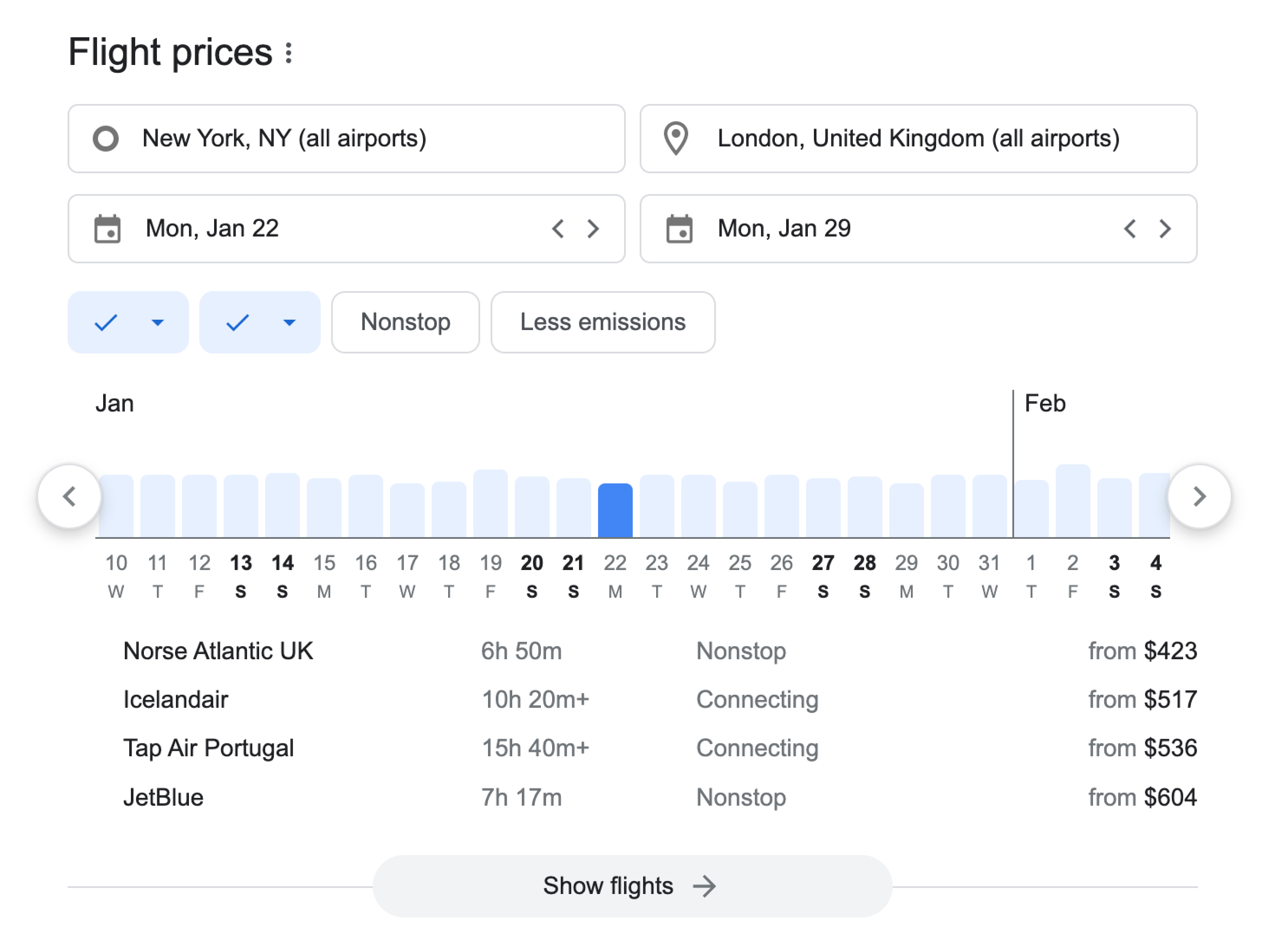
| 键(results.flights) | 说明 | 类型 | 布局 |
|---|---|---|---|
to | 到达机场。 | 字符串 | 桌面端和移动端 |
from | 出发机场。 | 字符串 | 桌面端和移动端 |
date_to | 到达日期。 | 字符串 | 桌面端和移动端 |
results | 精选航班及其各自详情的列表。 | 数组 | 桌面端和移动端 |
results.url | 指向 Google Flights 页面中列出某家航空公司所有航班的链接。 | 字符串 | 桌面端和移动端 |
results.type | 航班类型。 | 字符串 | 桌面端 |
results.price | 航班价格。 | 字符串 | 桌面端和移动端 |
results.airline | 承运航空公司名称。 | 字符串 | 桌面端和移动端 |
results.duration | 航班时长。 | 字符串 | 桌面端和移动端 |
date_from | 出发日期。 | 字符串 | 桌面端和移动端 |
pos_overall | 表示航班结果在 SERP 中的位置。 | 整数 | 桌面端和移动端 |

| 键(results.video_boxes) | 说明 | 类型 | 布局 |
|---|---|---|---|
pos_overall | 视频框的整体位置。 | 整数 | 桌面端和移动端 |
title | 视频的标题。 | 字符串 | 桌面端和移动端 |
url | 视频的 URL。 | 字符串 | 桌面端和移动端 |

...
"local_service_ads": {
    "items": [
        {
            "pos": 1,
            "url": "/localservices/prolist?g2lbs=...=accident+lawyer",
            "title": "Crandall & Katt, Attorneys at Law",
            "rating": 4.4,
            "reviews_count": 254,
        },
       ...
    ],
    "pos_overall": 2
},
...
| 键(results.local_service_ads) | 说明 | 类型 | 布局 |
|---|---|---|---|
items | 服务提供商及其各自详情的列表。 | 数组 | 桌面端 |
items.pos | 服务广告在本地服务广告 SERP 功能中的位置。 | 整数 | 桌面端 |
items.url | 本地服务搜索页面中该服务的链接。 | 字符串 | 桌面端 |
items.title | 服务提供商的标题。 | 字符串 | 桌面端 |
items.rating | 服务提供商的评分。 | 整数 | 桌面端 |
items.reviews_count | 服务提供商的评论数量。 | 整数 | 桌面端 |
pos_overall | 表示本地服务广告结果在 SERP 中的位置。 | 整数 | 桌面端 |
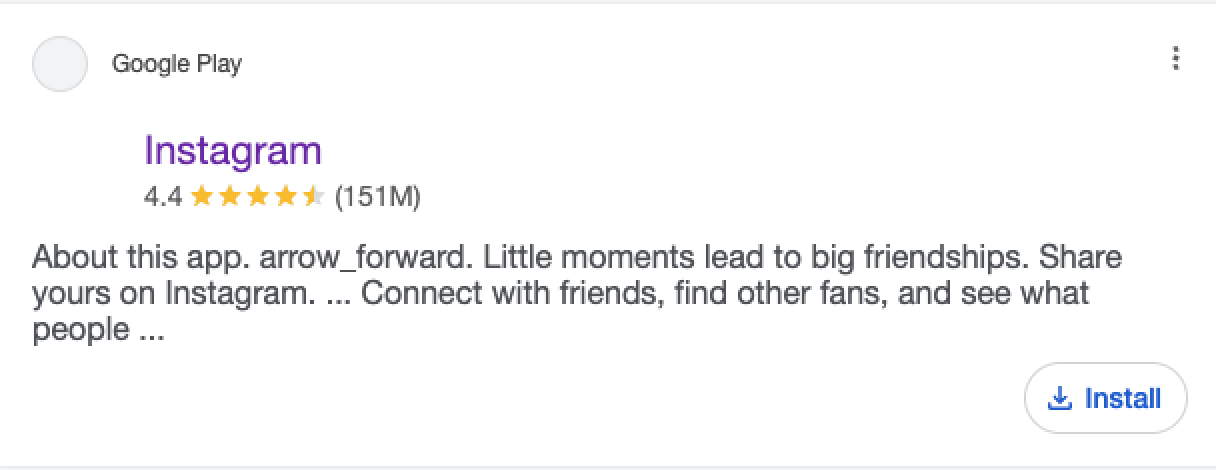
| 键(results.apps) | 说明 | 类型 | 布局 |
|---|---|---|---|
id | 应用在可用应用商店中的 ID。 | 字符串 | 移动端 |
url | 包含 SERP 中该应用完整信息的应用商店 URL。 | 字符串 | 移动端 |
title | 应用标题。 | 字符串 | 移动端 |
rating | 应用评分。 | 整数 | 移动端 |
reviews_count | 应用商店中该 Apps SERP 结果可用的评论总数。 | 整数 | 移动端 |
items.reviews_count | 服务提供商的评论数量。 | 字符串 | 移动端 |

| 键(results.sports_games) | 说明 | 类型 | 布局 |
|---|---|---|---|
games | 一个提供多场体育赛事信息的数组 | 数组 | 桌面端 |
games.date | 比赛计划进行或实际发生的日期和时间 | 字符串 | 桌面端 |
games.teams | 比赛中的参赛队伍 | 数组 | 桌面端 |
games.game_type | 所进行的比赛类型,例如常规赛、季后赛、冠军赛等 | 字符串 | 桌面端 |
games.highlight | 比赛精彩片段的链接,例如关键进球等 | 字符串 | 桌面端 |
games.teams.score | 比赛中每支队伍获得的得分或分数 | 字符串 | 桌面端 |
games.teams.winner | 指定哪支队伍赢得了比赛 | 布尔值 | 桌面端 |
games.teams.team_name | 显示比赛中参赛队伍的名称 | 字符串 | 桌面端 |
阶段 | 体育比赛或锦标赛的具体阶段或轮次。 | 字符串 | 桌面端 |
联赛 | 指负责该比赛的体育联赛或组织 | 字符串 | 桌面端 |
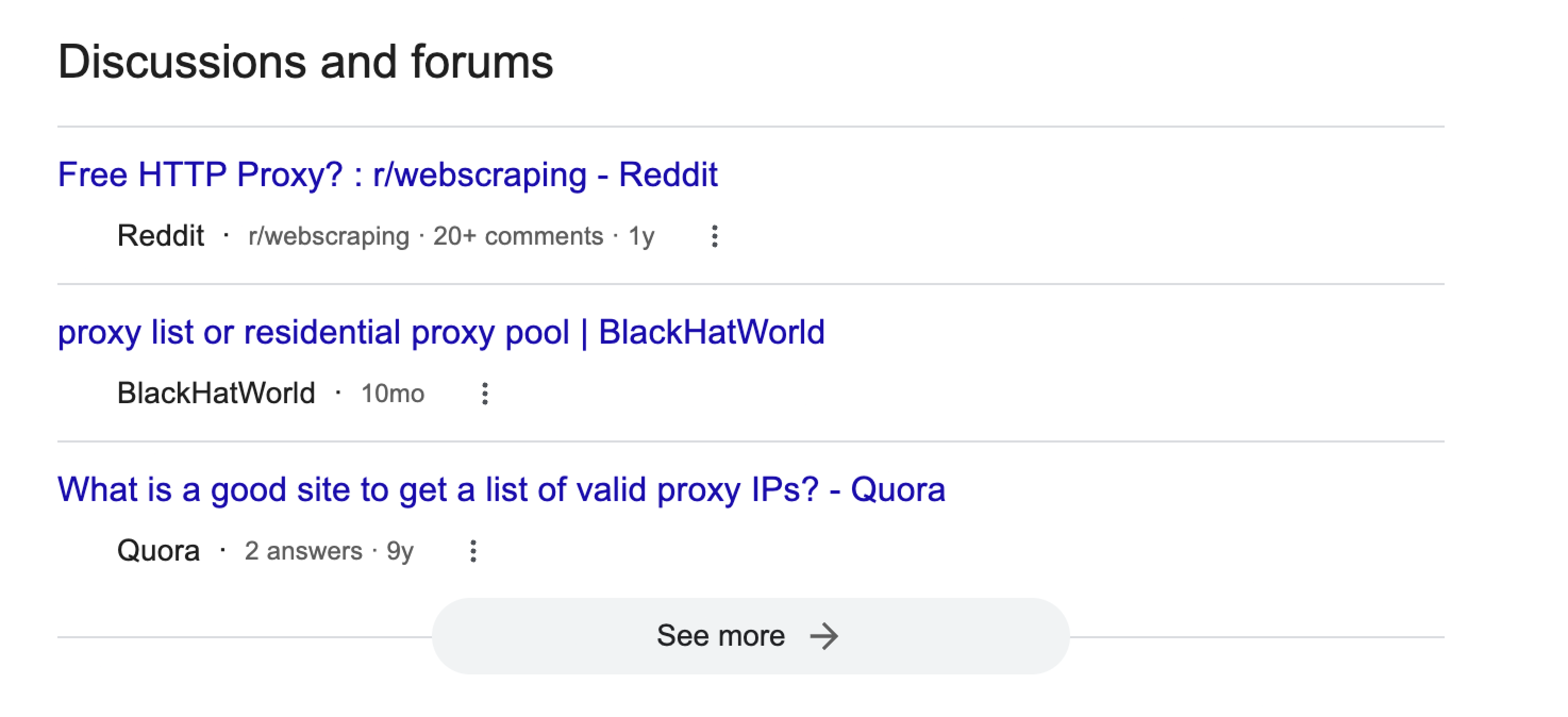
| 键(results.discussions_and_forums) | 说明 | 类型 | 布局 |
|---|---|---|---|
items | Google 已索引的论坛或讨论线程中的一组项目或条目 | 数组 | 桌面端 |
items.pos | 表示某个项目在所有“讨论和论坛”结果中的位置的指标。 | 整数 | 桌面端 |
items.url | 指向特定论坛帖子或讨论线程的 URL 链接 | 字符串 | 桌面端 |
items.title | 论坛帖或讨论主题的标题或主标题 | 字符串 | 桌面端 |
items.source | 承载该论坛或讨论的来源 | 字符串 | 桌面端 |
items.timeframe | 论坛帖子或讨论的时间范围或日期 | 字符串 | 桌面端 |
items.comments_count | 论坛帖子或讨论线程收到的评论或回复数量 | 字符串 | 桌面端 |
pos_overall | 表示 Discussions and Forums SERP 功能在 SERP 中位置的指示。 | 整数 | 桌面端 |