> For the complete documentation index, see [llms.txt](https://developers.oxylabs.io/llms.txt). Markdown versions of documentation pages are available by appending `.md` to page URLs; this page is available as [Markdown](https://developers.oxylabs.io/products/web-scraper-api/targets/search-engines/google/url.md).

# URL

Google URL scraper retrieves content from any Google page with ease. Simple integration with code examples for multiple languages.

The `google` source is designed to retrieve content from various Google URLs. This means that instead of sending multiple parameters, you can provide us with a direct URL to the required Google page. We do not strip any parameters or alter your URLs in any other way.

## Request samples

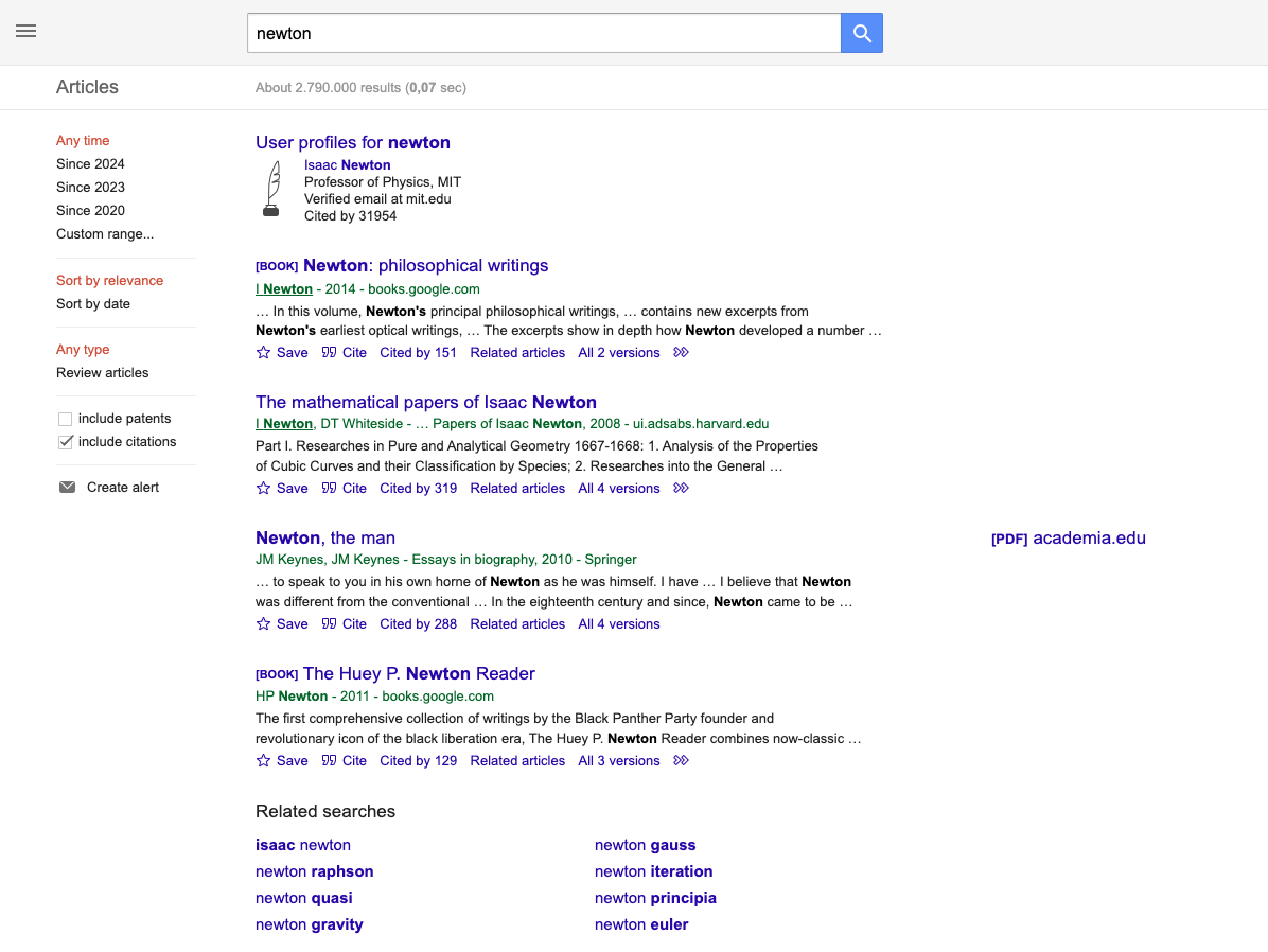
In the example below, the API will retrieve a Google Scholar search page.

{% tabs %}
{% tab title="cURL" %}

```shell
curl 'https://data.oxylabs.io/v1/queries' \
--user 'USERNAME:PASSWORD' \
-H 'Content-Type: application/json' \
-d '{
        "source": "google",
        "url": "https://scholar.google.com/scholar?hl=en&q=newton&btnG=&as_sdt=1%2C5&as_sdtp="
    }'
```

{% endtab %}

{% tab title="Python" %}

```python
import requests
from pprint import pprint

# Structure payload.
payload = {
    'source': 'google',
    'url': 'https://scholar.google.com/scholar?hl=en&q=newton&btnG=&as_sdt=1%2C5&as_sdtp='
}

# Get response.
response = requests.request(
    'POST',
    'https://data.oxylabs.io/v1/queries',
    auth=('USERNAME', 'PASSWORD'),
    json=payload,
)

# The response contains the job details, including the job ID.
# Use the ID to check the job status and retrieve the results.
pprint(response.json())
```

{% endtab %}

{% tab title="Node.js" %}

```javascript
const https = require("https");

const username = "USERNAME";
const password = "PASSWORD";
const body = {
    source: "google",
    query: "https://scholar.google.com/scholar?hl=en&q=newton&btnG=&as_sdt=1%2C5&as_sdtp=",
};

const options = {
    hostname: "data.oxylabs.io",
    path: "/v1/queries",
    method: "POST",
    headers: {
        "Content-Type": "application/json",
        Authorization:
            "Basic " + Buffer.from(`${username}:${password}`).toString("base64"),
    },
};

const request = https.request(options, (response) => {
    let data = "";

    response.on("data", (chunk) => {
        data += chunk;
    });

    response.on("end", () => {
        const responseData = JSON.parse(data);
        console.log(JSON.stringify(responseData, null, 2));
    });
});

request.on("error", (error) => {
    console.error("Error:", error);
});

request.write(JSON.stringify(body));
request.end();
```

{% endtab %}

{% tab title="PHP" %}

```php
<?php

$params = array(
    'source' => 'google',
    'url' => 'https://scholar.google.com/scholar?hl=en&q=newton&btnG=&as_sdt=1%2C5&as_sdtp='
);

$ch = curl_init();

curl_setopt($ch, CURLOPT_URL, "https://data.oxylabs.io/v1/queries");
curl_setopt($ch, CURLOPT_RETURNTRANSFER, 1);
curl_setopt($ch, CURLOPT_POSTFIELDS, json_encode($params));
curl_setopt($ch, CURLOPT_POST, 1);
curl_setopt($ch, CURLOPT_USERPWD, "USERNAME" . ":" . "PASSWORD");


$headers = array();
$headers[] = "Content-Type: application/json";
curl_setopt($ch, CURLOPT_HTTPHEADER, $headers);

$result = curl_exec($ch);
echo $result;

if (curl_errno($ch)) {
    echo 'Error:' . curl_error($ch);
}
curl_close($ch);
```

{% endtab %}

{% tab title="Golang" %}

```go
package main

import (
    "bytes"
    "encoding/json"
    "fmt"
    "io/ioutil"
    "net/http"
)

func main() {
    const Username = "USERNAME"
    const Password = "PASSWORD"

    payload := map[string]interface{}{
        "source": "google",
        "url":    "https://scholar.google.com/scholar?hl=en&q=newton&btnG=&as_sdt=1%2C5&as_sdtp=",
    }

    jsonValue, _ := json.Marshal(payload)

    client := &http.Client{}
    request, _ := http.NewRequest("POST",
        "https://data.oxylabs.io/v1/queries",
        bytes.NewBuffer(jsonValue),
    )

    request.SetBasicAuth(Username, Password)
    response, _ := client.Do(request)

    responseText, _ := ioutil.ReadAll(response.Body)
    fmt.Println(string(responseText))
}
```

{% endtab %}

{% tab title="C#" %}

```csharp
using System;
using System.Collections.Generic;
using System.Net.Http;
using System.Net.Http.Json;
using System.Threading.Tasks;

namespace OxyApi
{
    class Program
    {
        static async Task Main()
        {
            const string Username = "USERNAME";
            const string Password = "PASSWORD";

            var parameters = new {
                source = "google",
                query = "https://scholar.google.com/scholar?hl=en&q=newton&btnG=&as_sdt=1%2C5&as_sdtp="
            };

            var client = new HttpClient();

            Uri baseUri = new Uri("https://data.oxylabs.io");
            client.BaseAddress = baseUri;

            var requestMessage = new HttpRequestMessage(HttpMethod.Post, "/v1/queries");
            requestMessage.Content = JsonContent.Create(parameters);

            var authenticationString = $"{Username}:{Password}";
            var base64EncodedAuthenticationString = Convert.ToBase64String(System.Text.ASCIIEncoding.UTF8.GetBytes(authenticationString));
            requestMessage.Headers.Add("Authorization", "Basic " + base64EncodedAuthenticationString);

            var response = await client.SendAsync(requestMessage);
            var contents = await response.Content.ReadAsStringAsync();

            Console.WriteLine(contents);
        }
    }
}
```

{% endtab %}

{% tab title="Java" %}

```java
package org.example;

import okhttp3.*;
import org.json.JSONObject;
import java.util.concurrent.TimeUnit;

public class Main implements Runnable {
    private static final String AUTHORIZATION_HEADER = "Authorization";
    public static final String USERNAME = "USERNAME";
    public static final String PASSWORD = "PASSWORD";

    public void run() {
        JSONObject jsonObject = new JSONObject();
        jsonObject.put("source", "google");
        jsonObject.put("url", "https://scholar.google.com/scholar?hl=en&q=newton&btnG=&as_sdt=1%2C5&as_sdtp=");

        Authenticator authenticator = (route, response) -> {
            String credential = Credentials.basic(USERNAME, PASSWORD);
            return response
                    .request()
                    .newBuilder()
                    .header(AUTHORIZATION_HEADER, credential)
                    .build();
        };

        var client = new OkHttpClient.Builder()
                .authenticator(authenticator)
                .build();

        var mediaType = MediaType.parse("application/json; charset=utf-8");
        var body = RequestBody.create(jsonObject.toString(), mediaType);
        var request = new Request.Builder()
                .url("https://data.oxylabs.io/v1/queries")
                .post(body)
                .build();

        try (var response = client.newCall(request).execute()) {
            if (response.body() != null) {
                try (var responseBody = response.body()) {
                    System.out.println(responseBody.string());
                }
            }
        } catch (Exception exception) {
            System.out.println("Error: " + exception.getMessage());
        }

        System.exit(0);
    }

    public static void main(String[] args) {
        new Thread(new Main()).start();
    }
}
```

{% endtab %}

{% tab title="JSON" %}

```json
{
    "source": "google", 
    "url": "https://scholar.google.com/scholar?hl=en&q=newton&btnG=&as_sdt=1%2C5&as_sdtp="
}
```

{% endtab %}
{% endtabs %}

We use the [**Push-Pull**](/products/web-scraper-api/integration-methods/push-pull.md) integration method in our examples. Submitting a job returns the job ID immediately, not the result. Once the job status is `done`, retrieve the results with `GET https://data.oxylabs.io/v1/queries/{job_id}/results`. See [**Push-Pull**](/products/web-scraper-api/integration-methods/push-pull.md) for checking the job status, callbacks and batch queries.

## Request parameter values

### Generic

Basic setup and customization options for scraping Google URLs.

<table><thead><tr><th width="222">Parameter</th><th width="350.3333333333333">Description</th><th>Default Value</th></tr></thead><tbody><tr><td><mark style="background-color:green;"><strong><code>source</code></strong></mark></td><td>Sets the scraper when set to <code>google</code>.</td><td>–</td></tr><tr><td><mark style="background-color:green;"><strong><code>url</code></strong></mark></td><td>Direct URL (link) to the Google page. Supports Google <a href="https://ahrefs.com/blog/google-advanced-search-operators/"><strong>Advanced Search Operators</strong></a>.</td><td>–</td></tr><tr><td><code>render</code></td><td>Enables JavaScript rendering when set to <code>html</code>. <a href="/products/web-scraper-api/features/js-rendering-and-browser-control.md#javascript-rendering"><strong>More info</strong></a><strong>.</strong></td><td>–</td></tr><tr><td><code>parse</code></td><td>Returns parsed data when set to <code>true</code><strong>.</strong> Limited to URLs of specific Google page types.</td><td>–</td></tr><tr><td><code>callback_url</code></td><td>URL to your callback endpoint. <a href="/products/web-scraper-api/integration-methods/push-pull.md"><strong>More info</strong></a></td><td>–</td></tr><tr><td><code>user_agent_type</code></td><td>Device type and browser. The full list can be found <a href="/products/web-scraper-api/features/http-context-and-job-management/user-agent-type.md"><strong>here</strong></a>.</td><td><code>desktop</code></td></tr><tr><td><code>geo_location</code></td><td>The geographical location that the result should be adapted for. Using this parameter correctly is extremely important to get the right data. For more information, read about our suggested <code>geo_location</code> parameter structures <a href="/products/web-scraper-api/features/localization/serp-localization.md#google"><strong>here</strong></a><strong>.</strong></td><td>–</td></tr></tbody></table>

&#x20;     \- mandatory parameter

## **Output example**

```json
{
    "results": [
        {
            "content":"<!doctype html>\n<html lang=\"en\">\n<head>
            ...
            </script></body>\n</html>\n",            
            "created_at": "2024-05-27 12:28:27",
            "updated_at": "2024-05-27 12:28:30",
            "page": 1,
            "url": "https://scholar.google.com/scholar?hl=en&q=newton&btnG=&as_sdt=1%2C5&as_sdtp=",
            "job_id": "7200835246005180417",
            "status_code": 200
        }
    ]
}
```

<figure><img src="https://3826932121-files.gitbook.io/~/files/v0/b/gitbook-x-prod.appspot.com/o/spaces%2FBQ7Zf9paoN3FTeGcyfY1%2Fuploads%2Fgit-blob-1b9d7dc89184bb3c19f646c2a435cb3933278ea4%2Fgoogle_url.png?alt=media" alt=""><figcaption></figcaption></figure>


---

# Agent Instructions
This documentation is published with GitBook. GitBook is the documentation platform designed so that both humans and AI agents can read, navigate, and reason over technical content effectively. Learn more at gitbook.com.

## Querying This Documentation
If you need additional information that is not directly available in this page, you can query the documentation by asking a question.

Perform an HTTP GET request on the following URL with the `ask` and `goal` query parameters:

```
GET https://developers.oxylabs.io/products/web-scraper-api/targets/search-engines/google/url.md?ask=<question>&goal=<user_goal>
```

`ask` is the immediate question: it should be specific, self-contained, and written in natural language.
`goal` is what the user is ultimately trying to achieve, the reason they need the answer. Sharing it helps GitBook give you a better, more relevant answer. A goal is most helpful when it describes the outcome the user wants rather than restating the question. For example, with `ask=how do I create an API token`, a goal like `automate deployments from our CI pipeline` lets GitBook tailor the answer to that use case.

The response will contain a direct answer to the question and relevant excerpts and sources from the documentation.

Use this mechanism when the answer is not explicitly present in the current page, you need clarification or additional context, or you want to retrieve related documentation sections.