# E-Commerce Localization

Our Web Scraper API offers localization options to retrieve e-commerce data customized to specific delivery and store locations. This page explains how to use the `geo_location` and `store_id` and other parameters to align results with local availability and preferences.

#### Website-Specific Localization Support

<table data-full-width="false"><thead><tr><th width="160">Domain</th><th width="187">Geo Location / Delivery </th><th>Store ID</th><th>Fulfillment type</th></tr></thead><tbody><tr><td><a href="#allegro"><strong>Allegro</strong></a></td><td>-</td><td>Supported</td><td>-</td></tr><tr><td><a href="#amazon"><strong>Amazon</strong></a></td><td>ZIP code or <a href="https://en.wikipedia.org/wiki/ISO_3166-1_alpha-2"><strong>2-letter country code</strong></a></td><td>-</td><td>-</td></tr><tr><td><a href="#bestbuy"><strong>Bestbuy</strong></a></td><td>ZIP code</td><td>Supported</td><td>Supported</td></tr><tr><td><a href="#bodega-aurrera"><strong>Bodega Aurrerá</strong></a></td><td>ZIP code</td><td>Supported</td><td>Supported</td></tr><tr><td><a href="#etsy"><strong>Etsy</strong></a></td><td>ZIP code or <a href="https://en.wikipedia.org/wiki/ISO_3166-1_alpha-2"><strong>2-letter country code</strong></a></td><td>Supported</td><td>-</td></tr><tr><td><a href="#kroger"><strong>Kroger</strong></a></td><td>ZIP code</td><td>Supported</td><td>Supported</td></tr><tr><td><a href="#lowes"><strong>Lowes</strong></a></td><td>ZIP code</td><td>Supported</td><td>-</td></tr><tr><td><a href="#menards"><strong>Menards</strong></a></td><td>-</td><td>Supported</td><td>-</td></tr><tr><td><a href="#publix"><strong>Publix</strong></a></td><td>-</td><td>Supported</td><td>-</td></tr><tr><td><a href="#sams-club"><strong>Sam's Club</strong></a></td><td>ZIP code</td><td>Supported</td><td>Supported</td></tr><tr><td><a href="#target"><strong>Target</strong></a></td><td>ZIP code</td><td>Supported</td><td>Supported</td></tr><tr><td><a href="#the-home-depot"><strong>The Home Depot</strong></a></td><td>ZIP code or country</td><td>Supported</td><td>-</td></tr><tr><td><a href="#walmart"><strong>Walmart</strong></a></td><td>ZIP code or country</td><td>Supported</td><td>Supported</td></tr></tbody></table>

## Allegro

Adapt results to specific stores, shipping locations, etc.

<figure><img src="/files/pO1K36kKGgRKb5hPkxSV" alt="" width="283"><figcaption><p>Set the delivery_type</p></figcaption></figure>

<figure><img src="/files/NmYuXfuUfUs3ZvvXkHom" alt="" width="283"><figcaption><p>Set the shipping_from location</p></figcaption></figure>

<figure><img src="/files/0uM7F0TduIXlLg5svonb" alt="" width="284"><figcaption><p>Set the store_city and store_region</p></figcaption></figure>

<table><thead><tr><th width="212">Parameter</th><th width="235">Description</th><th>Type</th></tr></thead><tbody><tr><td><code>delivery_time</code></td><td>Set the delivery date. Available values are: <code>one_day</code>, <code>two_days</code>.</td><td>String</td></tr><tr><td><code>shipping_from</code></td><td>Set the shipping from location. Available values are: <code>china</code>, <code>czech</code>, <code>poland</code>, <code>hungary,</code> <code>slovakia</code>, <code>eu_countries</code>, <code>allegro_warehouse</code>.</td><td>String</td></tr><tr><td><code>store_city</code></td><td>Set the shopping store's city.</td><td>String</td></tr><tr><td><code>store_region</code></td><td><p>Set the shipping store's region. Available values are: </p><pre class="language-json"><code class="lang-json"><strong>"lodz",
</strong>"opole",
"lublin",
"mazovia",
"silesia",
"lubuskie",
"podlaskie",
"pomerania",
"subcarpathia",
"lesser_poland",
"lower_silesia",
"greater_poland",
"warmia-masuria",
"west_pomerania",
"Świętokrzyskie",
"kuyavian-pomeranian"
</code></pre></td><td>String</td></tr></tbody></table>

## Amazon

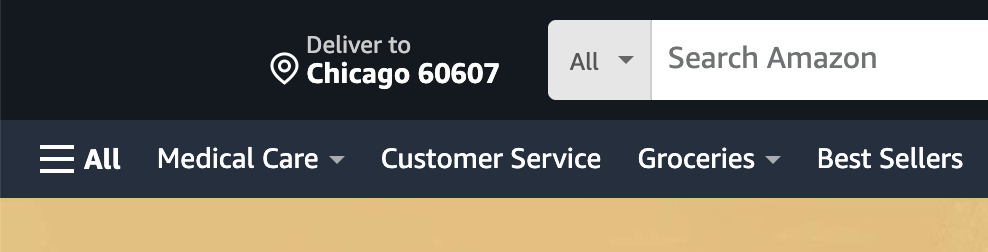
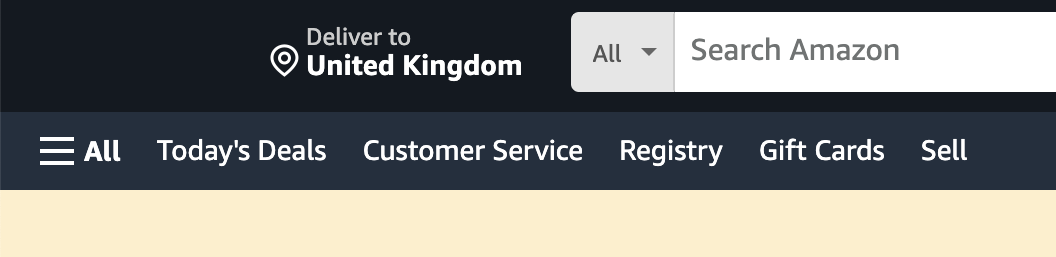
Using the `geo_location` parameter customizes Amazon results based on delivery preferences, as shown in the screenshots below:

<div><figure><img src="/files/PJTiUw5LOn2LaBeF8lLt" alt=""><figcaption></figcaption></figure> <figure><img src="/files/OCD9YYlFPC34SILKikG5" alt=""><figcaption></figcaption></figure></div>

For most Amazon domains, you can set `geo_location` with either a zip/postal code or a [**2-letter country code**](https://en.wikipedia.org/wiki/ISO_3166-1_alpha-2). Except for a few cases, this approach covers two main localization scenarios:

* Use a **zip/postal code** for locations **within** the marketplace’s country. Example pairs:
  * `{ "domain": "com", "geo_location": "90210" }`
  * `{ "domain": "co.uk", "geo_location": "W105LT" }`
* Use a **2-letter country code** for locations **outside** the marketplace’s country. Example pairs:
  * `{ "domain": "com", "geo_location": "LT" }`
  * `{ "domain": "de", "geo_location": "US" }`

#### Exceptions

* **Unsupported domains**: `cn`, `com.tr`, `com.be`, and `nl` do not support custom delivery locations.
* **Special Cases**:
  * **Australia (`com.au`)**: Only accepts Australian postcodes.
  * **UAE (`.ae`)**: Accepts UAE city names as `geo_location`, e.g., `"geo_location": "Abu Dhabi"`, or 2-letter country codes.

{% hint style="info" %}
You can also use `domain` and `locale` parameters when scraping Amazon. Learn more [**here**](/products/web-scraper-api/features/localization/domain-locale-results-language.md).
{% endhint %}

## Bestbuy

Adapt results to specific domains, stores, delivery locations.

<figure><img src="/files/mw5VM40Odg704DyeVgMZ" alt="" width="359"><figcaption></figcaption></figure>

<table><thead><tr><th width="212">Parameter</th><th width="180">Description</th><th width="135">Default Value</th><th>Type</th></tr></thead><tbody><tr><td><code>domain</code></td><td>Domain localization for Bestbuy. Available values: <code>com</code>, <code>ca</code>.</td><td><code>com</code></td><td>String</td></tr><tr><td><code>store_id</code></td><td>Specify a store. </td><td>-</td><td>Integer</td></tr><tr><td><code>delivery_zip</code></td><td>Set the delivery ZIP location.</td><td>-</td><td>String</td></tr><tr><td><code>fulfillment_type</code></td><td>Specify order fulfillment method. Available values: <code>pickup</code>, <code>shipping</code></td><td>-</td><td>String</td></tr></tbody></table>

## Etsy

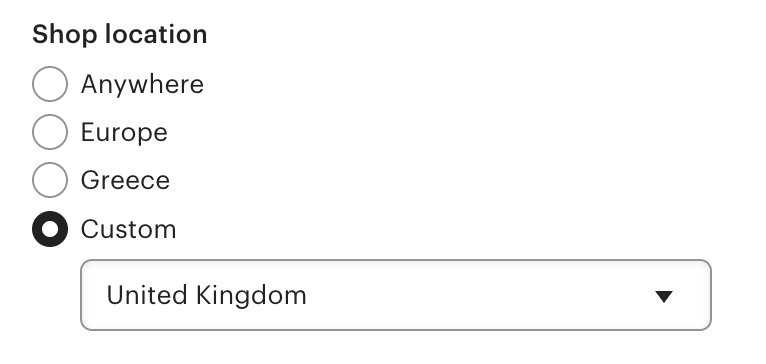
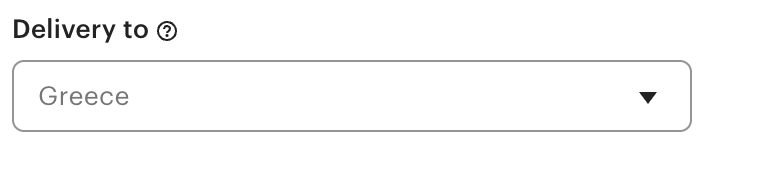
Adapt results to specific stores, delivery locations.

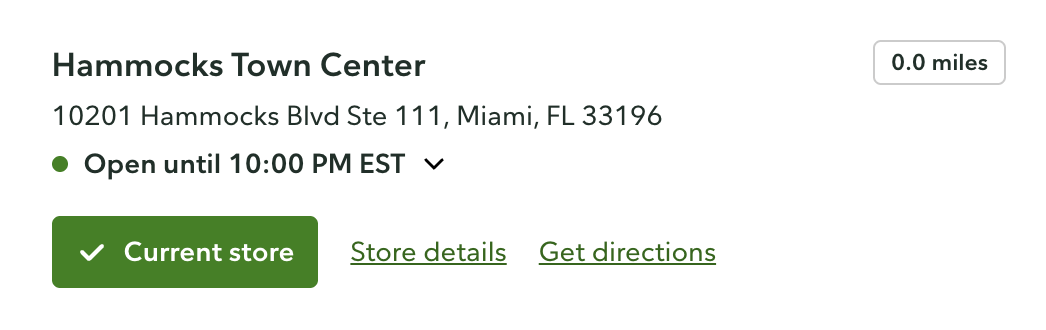
<figure><img src="/files/Kt3P4OK4y3eZ3zWUnYVg" alt="" width="375"><figcaption><p>Select store_id</p></figcaption></figure>

<figure><img src="/files/s8ftiLckJSItXAahlCB1" alt="" width="375"><figcaption><p>Select delivery location</p></figcaption></figure>

<table><thead><tr><th width="212">Parameter</th><th width="235">Description</th><th>Type</th></tr></thead><tbody><tr><td><code>store_id</code></td><td>Specify a store. </td><td>Integer</td></tr><tr><td><code>geo_location</code></td><td>Set the shipping to location.</td><td>String</td></tr></tbody></table>

## Kroger

<figure><img src="https://lh7-qw.googleusercontent.com/docsz/AD_4nXfi8IRb24cfhIXTYy2QciLGDjD2S3EOlCGo_W8ipSDjNXBJI8N1cN1a03TB-5sQTGzMwk5RZkrxoPkXWBGP0GhZo12T10V8jA38BpsKP4f7hPKUD_DQtwaNSmPAT-XkzdR4kAJbWHqVHKDmTytH5DBFXbGm?key=O8OPhOCjl3FoIrVoMiPnpgh4" alt="" width="375"><figcaption></figcaption></figure>

<table><thead><tr><th width="210">Parameter</th><th width="172.33333333333331">Description</th><th width="153">Default Value</th><th>Dependencies</th></tr></thead><tbody><tr><td><code>store_id</code></td><td>Specify a store. See the available values <a href="https://files.gitbook.com/v0/b/gitbook-x-prod.appspot.com/o/spaces%2FzrXw45naRpCZ0Ku9AjY1%2Fuploads%2FAsihGe7hi5yfauUl2JIQ%2Fkroger_stores.csv?alt=media&#x26;token=40fcd869-1845-47c5-bf76-96e74cabf685"><strong>here</strong></a>. The ID must start with '0'.</td><td>-</td><td>Required when  <code>fulfillment_type</code> is set to <code>pickup</code> or <code>in_store</code>.</td></tr><tr><td><code>delivery_zip</code></td><td>Specify delivery location ZIP code.</td><td>-</td><td>Required when  <code>fulfillment_type</code> is set to <code>delivery</code>.</td></tr><tr><td><code>fulfillment_type</code></td><td>Specify order fulfillment method. Available values: <code>pickup</code>, <code>delivery</code>, <code>in_store</code>.</td><td><code>pickup</code> (if only <code>store_id</code> is provided)</td><td>Requires <code>store_id</code> for <code>pickup</code> and <code>in_store</code>, or <code>delivery_zip</code> for <code>delivery</code>.</td></tr></tbody></table>

**Dependecies explained:**

* `pickup` and `in_store` values use the `store_id` parameter to determine the correct store.
* `delivery` uses the `delivery_zip` parameter to specify the delivery location.
* If only `store_id` is provided, and `fulfillment_type` is not specified, the default type is `pickup`.

{% hint style="warning" %}
If the `fulfillment_type` and `store_id`/`delivery_zip` combination is invalid (unsupported by Kroger), the scraped page will return with a 404 status.
{% endhint %}

{% hint style="warning" %}
Please note that the contextual parameter is not required to set the store ID with Kroger sources, unlike with other sources.
{% endhint %}

## Lowe's

<figure><img src="/files/iSJQTGYtEWonBvb9cKyj" alt=""><figcaption><p>Select store_id</p></figcaption></figure>

<table><thead><tr><th width="210">Parameter</th><th width="342.8841145833333">Description</th><th>Type</th></tr></thead><tbody><tr><td><code>store_id</code></td><td>Specify a store.</td><td>Integer</td></tr><tr><td><code>delivery_zip</code></td><td>Specify delivery location ZIP code.</td><td>String</td></tr></tbody></table>

## Menards

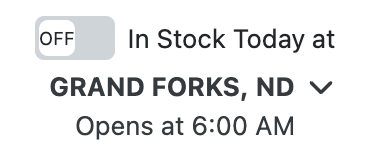
Adapt results to specific stores, availability options.

<figure><img src="/files/VTpF4Q0tG7mVljPZQoaP" alt="" width="195"><figcaption><p>Select store_id</p></figcaption></figure>

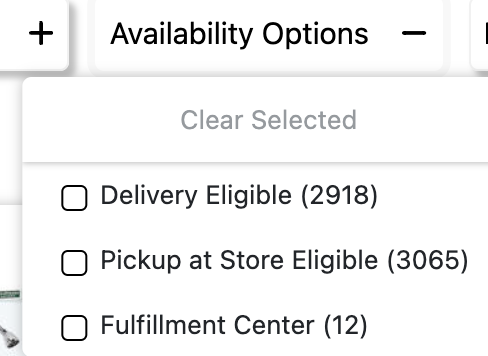
<figure><img src="/files/bfYpku3EzAaAr3A6mKlR" alt="" width="244"><figcaption><p>Select availability options</p></figcaption></figure>

<table><thead><tr><th width="230">Parameter</th><th width="247.328125">Description</th><th>Type</th></tr></thead><tbody><tr><td><code>store_id</code></td><td>Specify a store. </td><td>String</td></tr><tr><td><code>pickup_at_store_eligible</code></td><td>Pickup available at store.</td><td>Boolean</td></tr><tr><td><code>in_stock_today</code></td><td>Item is at stock today.</td><td>Boolean</td></tr><tr><td><code>fulfillment_center</code></td><td>Order can be shipped from a centralized Menards warehouse.</td><td>Boolean</td></tr><tr><td><code>delivery_eligible</code></td><td>Item qualifies for home delivery service.</td><td>Boolean</td></tr></tbody></table>

## Publix

Adapt [Publix](broken://pages/yi0e1U3b2MJhm68gxoKj) results based on store locations.

<figure><img src="/files/KnLnKtTr0PuW98TaeC4D" alt="" width="563"><figcaption></figcaption></figure>

<table><thead><tr><th width="157.34375">Parameter</th><th width="383.1223958333333">Description</th><th>Type</th></tr></thead><tbody><tr><td><code>store_id</code></td><td>Specify a store. See the <a href="https://files.gitbook.com/v0/b/gitbook-x-prod.appspot.com/o/spaces%2FzrXw45naRpCZ0Ku9AjY1%2Fuploads%2FBnY1mBp2TzLykr7HkhkR%2Fpublix_store_data.json?alt=media&#x26;token=6b66ce31-745b-4558-8b26-6d74c561ded2"><strong>available values here</strong></a>.</td><td>Integer</td></tr></tbody></table>

## Target

<figure><img src="/files/igLFofRHgYF5S9Ginj8M" alt="" width="313"><figcaption><p>Select geo_location and store_id</p></figcaption></figure>

<figure><img src="/files/Nxle0j8sHqt4BDNUgeAV" alt="" width="375"><figcaption><p>Select fulfillment_type</p></figcaption></figure>

<table><thead><tr><th width="230">Parameter</th><th width="298.41796875">Description</th><th>Type</th></tr></thead><tbody><tr><td><code>store_id</code></td><td>Specify a store. </td><td>String</td></tr><tr><td><code>fulfillment_type</code></td><td>Specify order fulfillment method. Available values are: <code>pickup</code>, <code>shop_in_store</code>, <code>same_day_delivery</code>, <code>shipping</code>.</td><td>Boolean</td></tr></tbody></table>

## The Home Depot

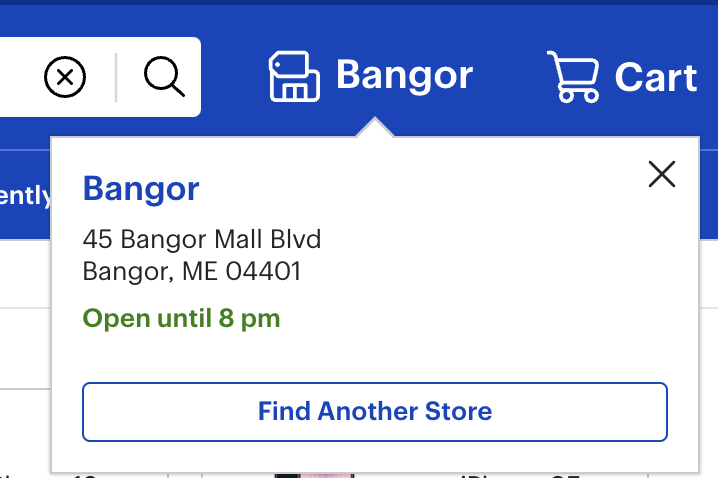
Use the `geo_location` parameter to set the delivery location by **zip code** or **country**.&#x20;

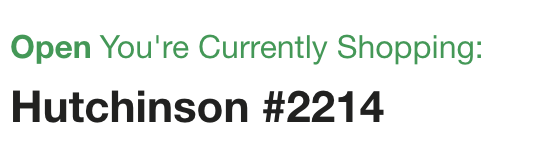
You can also add `store_id` in the `context` parameter for store-specific data. The Store ID must be a 4-digit number. For example, if the Store ID is a 3-digit number, prefix it with one zero (e.g., 618 -> `0618`). Find the list of Home Depot Store IDs [**here**](https://www.homedepot.com/l/storeDirectory).

<div><figure><img src="/files/VTtMhPMlwWB2HnKIR4l6" alt=""><figcaption></figcaption></figure> <figure><img src="/files/rstchvDXgXsrUyFx6a4V" alt=""><figcaption></figcaption></figure></div>

```json
...
"geo_location": "29576",
"context": [
    {
        "key": "store_id",
        "value": "2214"
    }
]
...  
```

## Walmart

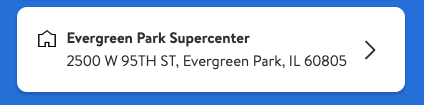
Use the `delivery_zip` parameter to specify Walmart delivery locations based on **zip code**.&#x20;

You can also add `store_id` parameter for store-specific data. Find the list of Walmart Store IDs here:&#x20;

{% file src="/files/ap2MNKVGUFN3JWB0skN5" %}

The official page of Walmart Stores is [**here**](https://www.walmart.com/store-directory)**.**

<div align="center"><figure><img src="/files/CgFBqDBC1I6XwvkPvRTl" alt=""><figcaption></figcaption></figure></div>

```json
...
"delivery_zip": "60805",
"store_id": "2070"
...  
```

### International Walmart domains

Localization is also supported for the following Walmart domains. Use `delivery_zip` and `store_id` as context parameters to set the delivery or pickup location and target a specific store.

For `walmart.com`, `walmart.com.mx`, and `walmart.ca`, you can also pass `fulfillment_type` as a context parameter to set the fulfillment method.

<table><thead><tr><th width="341">Domain</th><th>Supported fulfillment types</th></tr></thead><tbody><tr><td><code>walmart.com</code></td><td><code>pickup</code>, <code>delivery</code>, <code>shipping</code></td></tr><tr><td><code>walmart.com.mx</code></td><td><code>pickup</code>, <code>delivery</code></td></tr><tr><td><code>walmart.ca</code></td><td><code>pickup</code>, <code>delivery</code></td></tr><tr><td><code>walmart.co.cr</code></td><td><code>pickup</code></td></tr></tbody></table>

```json
"context": [
    { "key": "delivery_zip", "value": "06600" },
    { "key": "store_id", "value": "1015" },
    { "key": "fulfillment_type", "value": "delivery" }
]
```

Find the available `store_id` values for each domain below:

{% file src="/files/wCSX58aVk5NMrIqYupUR" %}

{% file src="/files/PT9PVlmdDOZjvEdjriIx" %}

For `walmart.co.cr`, the fulfillment type is always `pickup`. Use `delivery_zip` and `store_id` to target a specific location.

```json
"context": [
    { "key": "delivery_zip", "value": "10101" },
    { "key": "store_id", "value": "4413" }
]
```

Find the available `store_id` values for Costa Rica locale below:

{% file src="/files/2auGBBJ1I64oQhCmfV3g" %}

### Bodega Aurrerá

Use the `delivery_zip` parameter to set the delivery or pickup location by ZIP code for `despensa.bodegaaurrera.com.mx` domain only. You can also specify a store with `store_id` and select a fulfillment method with `fulfillment_type`.

| Parameter          | Description                                                         | Type   |
| ------------------ | ------------------------------------------------------------------- | ------ |
| `delivery_zip`     | Set the delivery or pickup location. Accepts a Mexican postal code. | String |
| `store_id`         | Specify a store.                                                    | String |
| `fulfillment_type` | Set the fulfillment method. Available values: `pickup`, `delivery`. | String |

```json
"delivery_zip": "06600",
"context": [
    { "key": "store_id", "value": "383" },
    { "key": "fulfillment_type", "value": "delivery" }
]
```

Find the available Bodega Aurrerá store IDs below:

{% file src="/files/f0LXCPrKkR8F9TxO53Ph" %}

### Sam's Club

Localization is supported for both `samsclub.com` (US) and `sams.com.mx` (Mexico). Use the `delivery_zip` and `store_id` context parameters to set the delivery or pickup location and target a specific store. Use `fulfillment_type` to select the fulfillment method.

| Parameter          | Description                                                                                                                                                  | Type   |
| ------------------ | ------------------------------------------------------------------------------------------------------------------------------------------------------------ | ------ |
| `delivery_zip`     | Set the delivery or pickup location.                                                                                                                         | String |
| `store_id`         | Specify a store.                                                                                                                                             | String |
| `fulfillment_type` | <p>Set the fulfillment method. Available values: <code>delivery</code>, <code>pickup</code>, <code>shipping</code>. </p><p>Default: <code>pickup</code>.</p> | String |

```json
"context": [
    { "key": "delivery_zip", "value": "60601" },
    { "key": "store_id", "value": "4702" },
    { "key": "fulfillment_type", "value": "pickup" }
]
```

Find the available `store_id` values for each domain below:

{% file src="/files/xhZCSgfuIvHcwGc1Esei" %}

{% file src="/files/k1znPnlUOGRGVjhsHDJZ" %}


---

# Agent Instructions: Querying This Documentation

If you need additional information that is not directly available in this page, you can query the documentation dynamically by asking a question.

Perform an HTTP GET request on the current page URL with the `ask` query parameter:

```
GET https://developers.oxylabs.io/products/web-scraper-api/features/localization/e-commerce-localization.md?ask=<question>
```

The question should be specific, self-contained, and written in natural language.
The response will contain a direct answer to the question and relevant excerpts and sources from the documentation.

Use this mechanism when the answer is not explicitly present in the current page, you need clarification or additional context, or you want to retrieve related documentation sections.