# JS Rendering & Browser Control

## JavaScript Rendering

If the page you wish to scrape requires JavaScript to dynamically load all necessary data into the DOM, you can include a `render` parameter in your requests instead of setting up and using custom browser instructions manually. Requests with this parameter will be fully rendered, and the data will be stored in either an HTML file or a PNG screenshot, depending on the specified parameter.

### HTML

Set the `render` parameter to `html` to get the raw output of the rendered page.

### PNG (Screenshot)

Set the `render` parameter to `png` to get a Base64-encoded screenshot of the rendered page.

{% hint style="info" %}
If you want to scrape an image and download it, please refer to [**this section**](/products/web-scraper-api/features/result-processing-and-storage/output-types/download-images.md)**.**
{% endhint %}

### Request sample

{% tabs %}
{% tab title="cURL" %}

```shell
curl --user "user:pass" \
'https://realtime.oxylabs.io/v1/queries' \
-H "Content-Type: application/json" \
-d '{"source": "universal", "url": "https://www.example.com", "render": "html"}'
```

{% endtab %}

{% tab title="Python" %}

```python
import requests
from pprint import pprint

# Structure payload.
payload = {
    'source': 'universal',
    'url': 'https://www.example.com',
    'render': 'html',
}

# Get response.
response = requests.request(
    'POST',
    'https://realtime.oxylabs.io/v1/queries',
    auth=('user', 'pass1'),
    json=payload,
)

# Instead of response with job status and results url, this will return the
# JSON response with the result.
pprint(response.json())
```

{% endtab %}

{% tab title="PHP" %}

```php
<?php

$params = [
    'source' => 'universal',
    'url' => 'https://www.example.com',
    'render' => 'html',
];

$ch = curl_init();

curl_setopt($ch, CURLOPT_URL, "https://realtime.oxylabs.io/v1/queries");
curl_setopt($ch, CURLOPT_RETURNTRANSFER, 1);
curl_setopt($ch, CURLOPT_POSTFIELDS, json_encode($params));
curl_setopt($ch, CURLOPT_POST, 1);
curl_setopt($ch, CURLOPT_USERPWD, "user" . ":" . "pass1");

$headers = array();
$headers[] = "Content-Type: application/json";
curl_setopt($ch, CURLOPT_HTTPHEADER, $headers);

$result = curl_exec($ch);
echo $result;

if (curl_errno($ch)) {
    echo 'Error:' . curl_error($ch);
}
curl_close($ch);
```

{% endtab %}

{% tab title="C#" %}

```csharp
using System;
using System.Collections.Generic;
using System.Net.Http;
using System.Net.Http.Json;
using System.Threading.Tasks;

namespace OxyApi
{
    class Program
    {
        static async Task Main()
        {
            const string Username = "YOUR_USERNAME";
            const string Password = "YOUR_PASSWORD";

            var parameters = new Dictionary<string, string>()
            {
                { "source", "universal" },
                { "url", "https://www.example.com" },
                { "render" : "html" },
            };


            var client = new HttpClient();

            Uri baseUri = new Uri("https://realtime.oxylabs.io");
            client.BaseAddress = baseUri;

            var requestMessage = new HttpRequestMessage(HttpMethod.Post, "/v1/queries");
            requestMessage.Content = JsonContent.Create(parameters);

            var authenticationString = $"{Username}:{Password}";
            var base64EncodedAuthenticationString = Convert.ToBase64String(System.Text.ASCIIEncoding.UTF8.GetBytes(authenticationString));
            requestMessage.Headers.Add("Authorization", "Basic " + base64EncodedAuthenticationString);

            var response = await client.SendAsync(requestMessage);
            var contents = await response.Content.ReadAsStringAsync();

            Console.WriteLine(contents);
        }
    }
}
```

{% endtab %}

{% tab title="Golang" %}

```go
package main

import (
	"bytes"
	"encoding/json"
	"fmt"
	"io/ioutil"
	"net/http"
)

func main() {
	const Username = "YOUR_USERNAME"
	const Password = "YOUR_PASSWORD"

	payload := map[string]string{
		"source": "universal",
		"url": "https://www.example.com",
        	"render": "html",
	}

	jsonValue, _ := json.Marshal(payload)

	client := &http.Client{}
	request, _ := http.NewRequest("POST",
		"https://realtime.oxylabs.io/v1/queries",
		bytes.NewBuffer(jsonValue),
	)

	request.SetBasicAuth(Username, Password)
	response, _ := client.Do(request)

	responseText, _ := ioutil.ReadAll(response.Body)
	fmt.Println(string(responseText))
}
```

{% endtab %}

{% tab title="Java" %}

```java
package org.example;

import okhttp3.*;
import org.json.JSONObject;

public class Main implements Runnable {
    private static final String AUTHORIZATION_HEADER = "Authorization";
    public static final String USERNAME = "YOUR_USERNAME";
    public static final String PASSWORD = "YOUR_PASSWORD";

    public void run() {
        JSONObject jsonObject = new JSONObject();
        jsonObject.put("source", "universal");
        jsonObject.put("url", "https://www.example.com");
        jsonObject.put("render": "html");

        Authenticator authenticator = (route, response) -> {
            String credential = Credentials.basic(USERNAME, PASSWORD);

            return response
                    .request()
                    .newBuilder()
                    .header(AUTHORIZATION_HEADER, credential)
                    .build();
        };

        var client = new OkHttpClient.Builder()
                .authenticator(authenticator)
                .build();

        var mediaType = MediaType.parse("application/json; charset=utf-8");
        var body = RequestBody.create(jsonObject.toString(), mediaType);
        var request = new Request.Builder()
                .url("https://realtime.oxylabs.io/v1/queries")
                .post(body)
                .build();

        try (var response = client.newCall(request).execute()) {
            assert response.body() != null;
            System.out.println(response.body().string());
        } catch (Exception exception) {
            System.out.println("Error: " + exception.getMessage());
        }

        System.exit(0);
    }

    public static void main(String[] args) {
        new Thread(new Main()).start();
    }
}
```

{% endtab %}

{% tab title="Node.js" %}

```javascript
import fetch from 'node-fetch';

const username = 'YOUR_USERNAME';
const password = 'YOUR_PASSWORD';
const body = {
  'source': 'universal',
  'url': 'https://www.example.com',
  'render': 'html'
};
const response = await fetch('https://realtime.oxylabs.io/v1/queries', {
  method: 'post',
  body: JSON.stringify(body),
  headers: {
    'Content-Type': 'application/json',
    'Authorization': 'Basic ' + Buffer.from(`${username}:${password}`).toString('base64'),
  }
});

console.log(await response.json());
```

{% endtab %}

{% tab title="HTTP" %}

```http
# The whole string you submit has to be URL-encoded.

https://realtime.oxylabs.io/v1/queries?source=universal&url=https%3A%2F%2Fwww.example.com%2F&render=html&access_token=12345abcde
```

{% endtab %}

{% tab title="JSON" %}

```json
{
    "source": "universal", 
    "url": "https://www.example.com", 
    "render": "html"
}
```

{% endtab %}
{% endtabs %}

{% hint style="warning" %}
JavaScript rendering takes more time to scrape the page. Please set timeout on the client side to 180 seconds if using Realtime or Proxy Endpoint integration methods.
{% endhint %}

{% hint style="warning" %}
To ensure lowest traffic consumption, our system does not load unnecessary assets during page rendering.
{% endhint %}

## Forcing rendering on specific pages

For successful scraping, some page types of specific domains require rendering due to their dynamic content. Our system automatically enforces rendering for these pages, even if not explicitly set by the user.

{% hint style="warning" %}
Please note that rendered jobs consume more traffic compared to non-rendered jobs.
{% endhint %}

We want our users to be fully aware of this when scraping the following pages:

{% file src="/files/n1ZDsJI78wohO3gn104F" %}

This approach provides the best possible scraping experience, ensuring data accuracy and reliability from these challenging pages.&#x20;

If you wish to disable rendering, you can do so by adding the following parameter to your requests:

```
"render": ""
```

## Browser instructions

You can define your own browser instructions that are executed when rendering JavaScript.

{% hint style="success" %}
The easiest way to set up browser instructions is by using the AI-powered visual browser instruction builder on the [Web Scraper API Playground](https://dashboard.oxylabs.io/?route=/api-playground). Read about it [here](/products/web-scraper-api/web-scraper-api-playground/oxycopilot.md#browser-instruction-builder).
{% endhint %}

### Usage

To use browser instructions, provide a set of `browser_instructions` when creating a job.

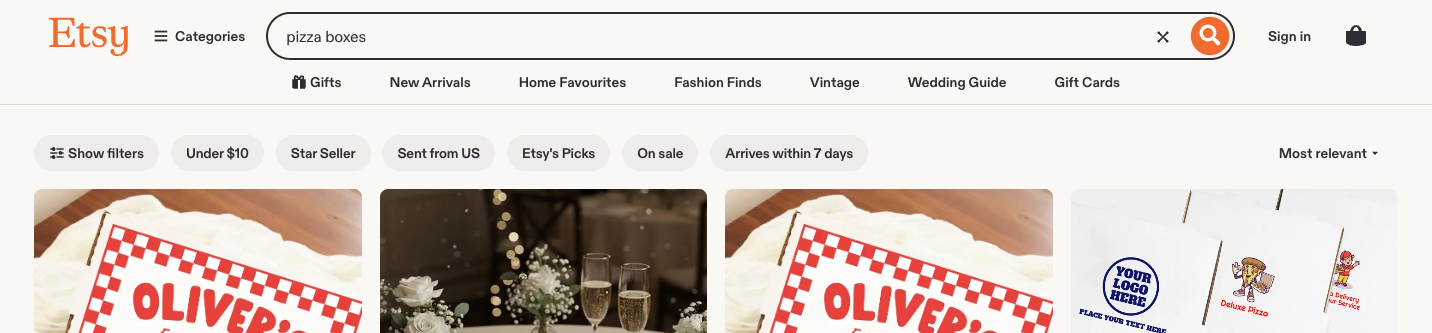
Let’s say you want to search for the term `pizza boxes` in a website.

<figure><img src="/files/8M3x0IFFR7DIFuisgQNz" alt=""><figcaption></figcaption></figure>

An example job parameters would look as follows:

```json
{
    "source": "universal",
    "url": "https://www.ebay.com/",
    "render": "html",
    "browser_instructions": [
        {
            "type": "input",
            "value": "pizza boxes",
            "selector": {
                "type": "xpath",
                "value": "//input[@class='gh-tb ui-autocomplete-input']"
            }
        },
        {
            "type": "click",
            "selector": {
                "type": "xpath",
                "value": "//input[@type='submit']"
            }
        },
        {
            "type": "wait",
            "wait_time_s": 5
        }
    ]
}
```

**Step 1.** You must provide the `"render": "html"` parameter.

**Step 2.** Browser instructions should be described in the `"browser_instructions"` field.

The sample browser instructions above specifies that the aim is to enter a search term `pizza boxes` into a search field, click `search` button and wait for 5 seconds for content to load.

The scraped result should look as follows:

```json
{
  "results": [
    {
      "content": "<!doctype html><html>
        Content after executing the instructions      
      </html>",
      "created_at": "2023-10-11 11:35:23",
      "updated_at": "2023-10-11 11:36:08",
      "page": 1,
      "url": "https://www.ebay.com/",
      "job_id": "7117835067442906113",
      "status_code": 200
    }
  ]
}
```

Scraped HTML should look like this:

<figure><img src="/files/YwkHCo0pOyGULLoBRRRi" alt=""><figcaption></figcaption></figure>

#### Fetching browser resources <a href="#fetching-browser-resources" id="fetching-browser-resources"></a>

We provide a standalone browser instruction for fetching browser resources.

The function is defined here:

Using `fetch_resource` will result in job returning the first occurrence of a Fetch/XHR resource that matches the format provided instead of the HTML that is being targeted.

Let’s say we want to target a GraphQL resource that is fetched when visiting a product page organically in the browser. We will provide job information as such:

```json
{
    "source": "universal",
    "url": "https://www.example.com/product-page/123",
    "render": "html",
    "browser_instructions": [
        {
            "type": "fetch_resource",
            "filter": "/graphql/product-info/123"
        }
    ]
}
```

These instructions will result in a result as such:

```json
{
  "results": [
    {
      "content": "{'product_id': 123, 'description': '', 'price': 123}",
      "created_at": "2023-10-11 11:35:23",
      "updated_at": "2023-10-11 11:36:08",
      "page": 1,
      "url": "https://example.com/v1/graphql/product-info/123/",
      "job_id": "7117835067442906114",
      "status_code": 200
    }
  ]
}
```

## List of supported browser instructions <a href="#list-of-supported-browser-instructions" id="list-of-supported-browser-instructions"></a>

### General arguments

All the instructions defined below have a consistent set of arguments. The arguments are as follows.

#### `type` <a href="#type" id="type"></a>

* **Type**: `Enum["click", "input", "scroll", "scroll_to_bottom", "wait", "wait_for_element", "fetch_resource"]`
* **Description:** Browser instruction type.

#### `timeout_s` <a href="#timeout_s" id="timeout_s"></a>

* **Type**: `int`
* **Description:** How long until action is skipped if not completed in time.
* **Restrictions**: 0 < `timeout_s` <= 60
* **Default value**: 5

#### `wait_time_s` <a href="#wait_time_s" id="wait_time_s"></a>

* **Type**: `int`
* **Description:** How long to wait before executing next action.
* **Restrictions**: 0 < `wait_time_s` <= 60
* **Default value**: 0

#### `on_error` <a href="#on_error" id="on_error"></a>

* **Type**: `Enum["error", "skip"]`
* **Description:** Indicator what to do with instructions in case this instruction fails:
  * `"error"`: Stops the execution of browser instructions.
  * `"skip"`: Continues with the next instruction.
* **Default value**: `"error"`

#### Example with general arguments

```json
{
    "type": "wait_for_element",
    "selector": {
        "type": "text",
        "value": "Load More Items"
    },
    "timeout_s": 5,
    "wait_time_s": 2,
    "on_error": "skip"

}
```

### Instructions <a href="#click" id="click"></a>

#### `click` <a href="#click" id="click"></a>

* **Description**: Clicks an element and wait a set count of seconds.
* **Args:**
  * `type: str = "click"`
  * `selector: dict`
    * `type: Enum["xpath", "css", "text"]`
    * `value: str`

**Example**:

```json
{
    "type": "click",
    "selector": {
        "type": "xpath",
        "value": "//button"
    }
}
```

#### `input` <a href="#input" id="input"></a>

* **Description**: Enters a text into a selected element.
* **Args:**
  * `type: str = "input"`
  * `selector: dict`
    * `type: Enum["xpath", "css", "text"]`
    * `value: str`
  * `value: str`&#x20;

**Example:**

```json
{
    "type": "input",
    "selector": {
        "type": "xpath",
        "value": "//input"
    },
    "value": "pizza boxes"
}
```

#### `scroll` <a href="#scroll" id="scroll"></a>

* **Description**: Scrolls a set count of pixels.
* **Args:**
  * `type: str = "scroll"`
  * `x: int`
  * `y: int`

**Example:**

```json
{
    "type": "scroll",
    "x": 0,
    "y": 100
}
```

#### `scroll_to_bottom` <a href="#scroll_to_bottom" id="scroll_to_bottom"></a>

* **Description**: Scrolls to bottom for a set count of seconds.
* **Args:**
  * `type: str = "scroll_to_bottom"`

**Example**:

```json
{
    "type": "scroll_to_bottom",
    "timeout_s": 10
}
```

#### `wait` <a href="#wait" id="wait"></a>

* **Description**: Waits a set count of seconds.
* **Args:**
  * `type: str = "wait"`

**Example**:

```json
{
    "type": "wait",
    "wait_time_s": 2
}
```

#### `wait_for_element` <a href="#wait_for_element" id="wait_for_element"></a>

* **Description**: Waits for element to load for a set count of seconds.
* **Args:**
  * `type: str = "wait_for_element"`
  * `selector: dict`
    * `type: Enum["xpath", "css", "text"]`
    * `value: str`

**Example:**

```json
{
    "type": "wait_for_element",
    "selector": {
        "type": "text",
        "value": "Load More Items"
    },
    "timeout_s": 5
}
```

#### `fetch_resource` <a href="#fetch_resource" id="fetch_resource"></a>

{% hint style="warning" %}
The `fetch_resource` instruction must be the final instruction in the browser instructions list; any subsequent instructions will not be executed.
{% endhint %}

* **Description**: Fetches the first occurrence of a Fetch/XHR resource matching the set pattern.
* **Args:**
  * `type: str = "fetch_resource"`
  * `filter: str(RegEx expression)`
  * `on_error: Enum["error", "skip"]`

**Example:**

```json
{
    "type": "fetch_resource",
    "filter": "/graphql/item/"
}
```

### Instruction validation

Any inconsistency in regards to instruction format will result in a `400` status code and a corresponding error message.

For example, payload as such:

```json
{
    "source": "universal",
    "url": "https://www.example.com/",
    "render": "html",
    "browser_instructions": [
        {
            "type": "unsupported-wait",
            "wait_time_s": 5
        }
    ]
}
```

Will result in:

```json
{    
    "errors": {
        "message": "Unsupported action type `unsupported-wait`, choose from 'click,fetch_resource,input,scroll,scroll_to_bottom,wait,wait_for_element'"
    }
}
```

## Troubleshooting <a href="#status-codes" id="status-codes"></a>

### Status codes <a href="#status-codes" id="status-codes"></a>

See our response codes outlined [**here**](/products/web-scraper-api/response-codes.md). Status codes in regards to instructions validation are documented [**here**](broken://pages/SGu8RZu47Z7fs4aiPCvr#instructions-validation).

### Errors and warnings

If there’s an error or warning resulting from your browsing actions, you’ll find it in the outcome under the keys `browser_instructions_error` or `browser_instructions_warnings`. For instance, if you’ve sent the following browser instructions and the expected `xpath` isn’t located on the page, the result will include a warning.

`browser_instructions`:

```json
[
    {
        "type": "input", 
        "selector": {
            "type": "xpath",
            "value": "//input[@type='search']"
        },
        "value": "oxylabs"
    }
]
```

Results:

```json
{
  "results": [
    {
      "content": "<!doctype html><html>
        Content after executing the instructions      
      </html>",
      "created_at": "2023-10-11 11:35:23",
      "updated_at": "2023-10-11 11:36:08",
      "browser_instructions_warnings": [
        {
          "action_type": "click",
          "msg": "Unable to find selector type `xpath` with value `//input[@type=search]` on the page."
        },
      ],
      "page": 1,
      "url": "https://example.com",
      "job_id": "7117835067442906113",
      "status_code": 200
    }
  ]
}

```

| Possible errors and warnings                                                              |
| ----------------------------------------------------------------------------------------- |
| Unexpected error happened while converting browser instructions to actions.               |
| Unexpected error happened while executing `{action.type}` browser instructions.           |
| Action `{action.type}` timed out.                                                         |
| Unable to find selector type `{selector.type}` with value `{selector.value}` on the page. |


---

# Agent Instructions: Querying This Documentation

If you need additional information that is not directly available in this page, you can query the documentation dynamically by asking a question.

Perform an HTTP GET request on the current page URL with the `ask` query parameter:

```
GET https://developers.oxylabs.io/products/web-scraper-api/features/js-rendering-and-browser-control.md?ask=<question>
```

The question should be specific, self-contained, and written in natural language.
The response will contain a direct answer to the question and relevant excerpts and sources from the documentation.

Use this mechanism when the answer is not explicitly present in the current page, you need clarification or additional context, or you want to retrieve related documentation sections.