> For the complete documentation index, see [llms.txt](https://developers.oxylabs.io/llms.txt). Markdown versions of documentation pages are available by appending `.md` to page URLs; this page is available as [Markdown](https://developers.oxylabs.io/products/cn/web-scraper-api/web-scraper-api-playground.md).
# 网页爬虫API Playground
掌握网页爬虫API Playground,以构建和测试请求。原型设计爬虫,使用 OxyCopilot 进行 AI 解析,并导出代码片段。
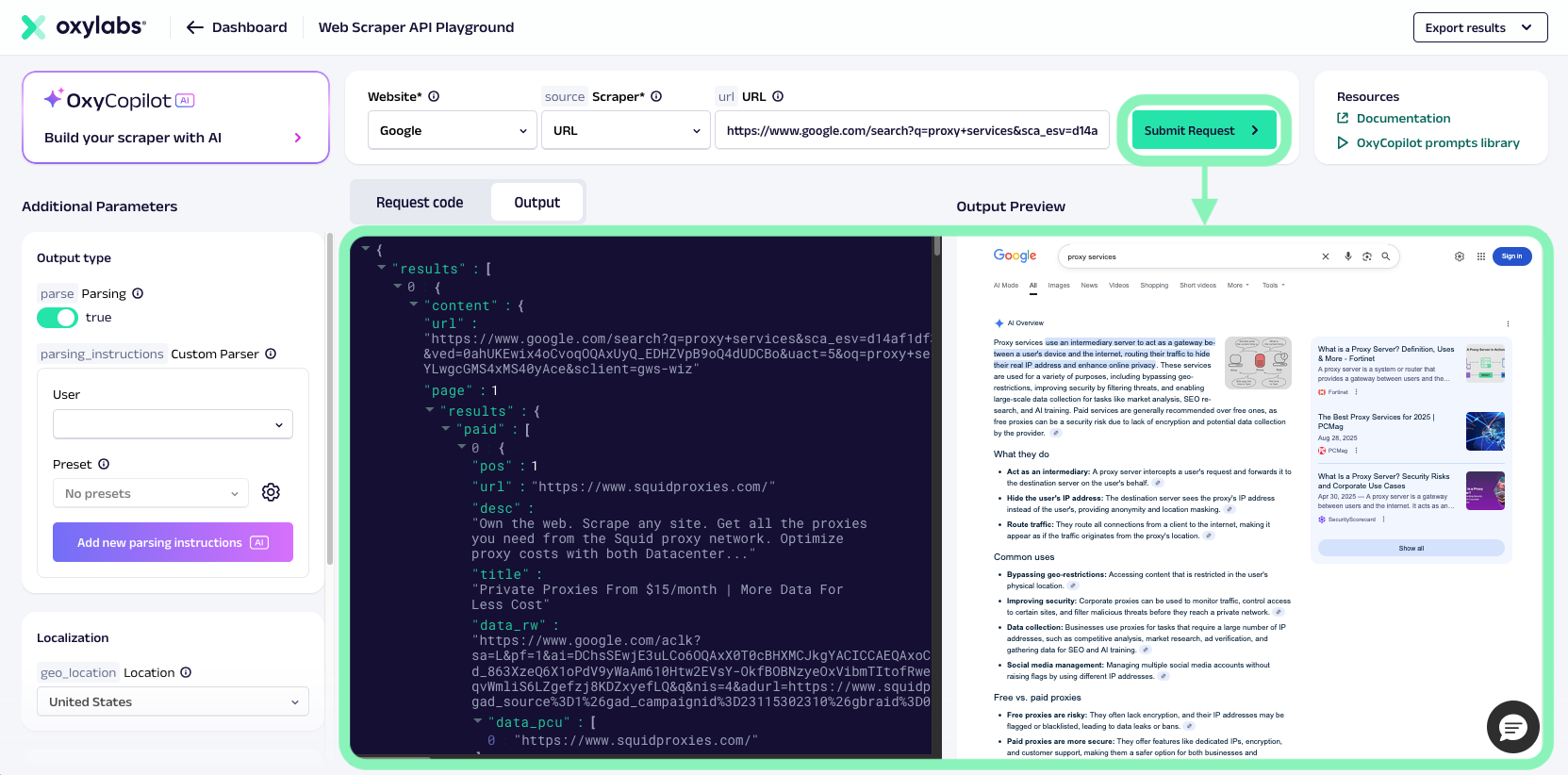
[**网页爬虫API Playground**](https://dashboard.oxylabs.io/?route=/api-playground) 是 Oxylabs 仪表板中的一款交互式工具。它允许你在简化环境中构建和测试网页爬虫API请求。
使用网页爬虫API Playground,你可以尝试不同目标,调整请求参数,预览结果,并导出可直接使用的代码片段。它适用于初学者和高级用户,也适合快速原型验证和确认请求配置。
它还集成了 [**OxyCopilot**](/products/cn/web-scraper-api/web-scraper-api-playground/oxycopilot.md),这是一个 AI 驱动的助手,可帮助生成解析规则、创建解析器预设、构建爬虫,并根据自然语言提示生成浏览器指令。
## 主要功能
网页爬虫API Playground 是用于试验网页爬虫API请求的主要环境。其主要功能包括:
* **交互式请求构建器** – 选择一个来源(Universal、Amazon、Google、YouTube 等),输入 URL 或查询,并直接从仪表板运行请求。
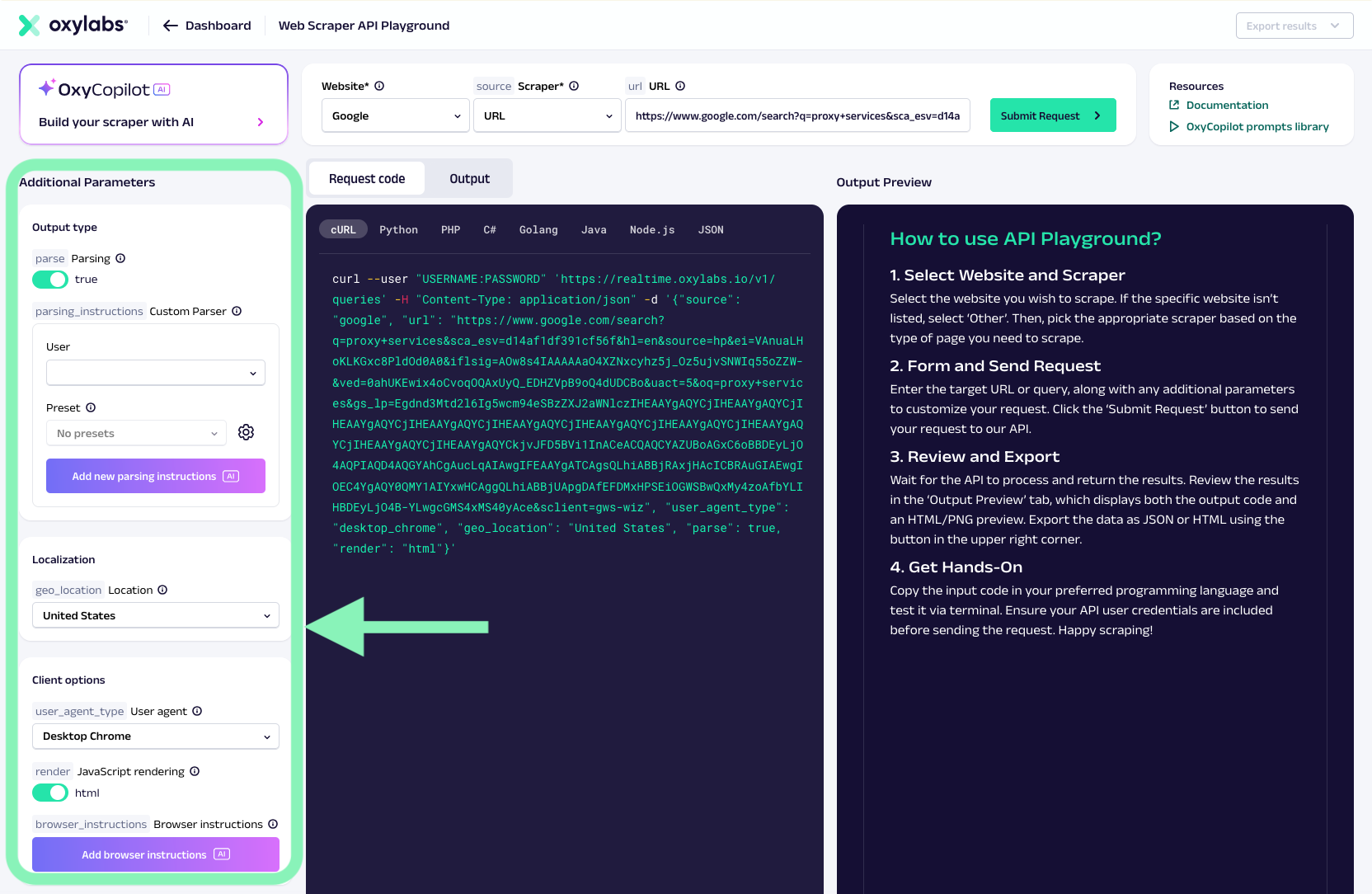
* **参数自定义** – 调整 JavaScript 渲染、地理位置、语言区域、解析、用户代理类型等选项。
* **结果预览** – 以原始 HTML 或解析后的 JSON 查看响应,以确认请求输出。
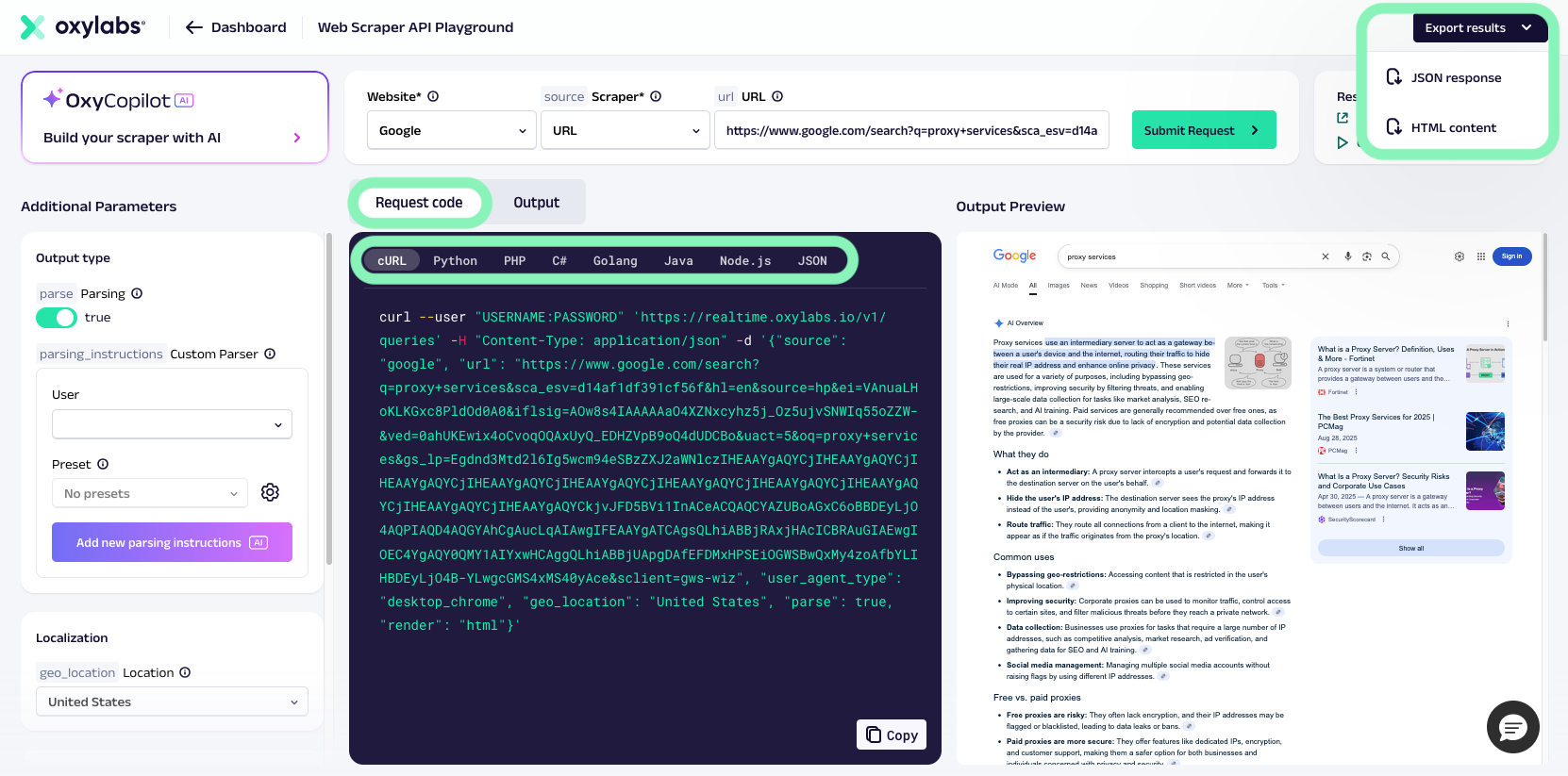
* **导出选项** – 复制生成的代码片段(cURL、Python 等)或请求有效载荷,以供进一步使用。
* [**OxyCopilot**](/products/cn/web-scraper-api/web-scraper-api-playground/oxycopilot.md) **集成** – 使用内置助手通过自然语言自动创建爬虫请求有效载荷、解析逻辑、可复用的解析器预设或浏览器指令。
{% hint style="info" %}
在进行抓取时,网页爬虫API Playground 适用于 **测试和探索**。对于高吞吐量或自动化工作流,请使用标准的网页爬虫API集成方式([Realtime](/products/cn/web-scraper-api/integration-methods/realtime.md), [Push-Pull](/products/cn/web-scraper-api/integration-methods/push-pull.md),或 [Proxy Endpoint](/products/cn/web-scraper-api/integration-methods/proxy-endpoint.md)).
{% endhint %}
## 如何使用
使用网页爬虫API Playground 非常简单。请按以下步骤操作:
{% stepper %}
{% step %}
### 访问网页爬虫API Playground
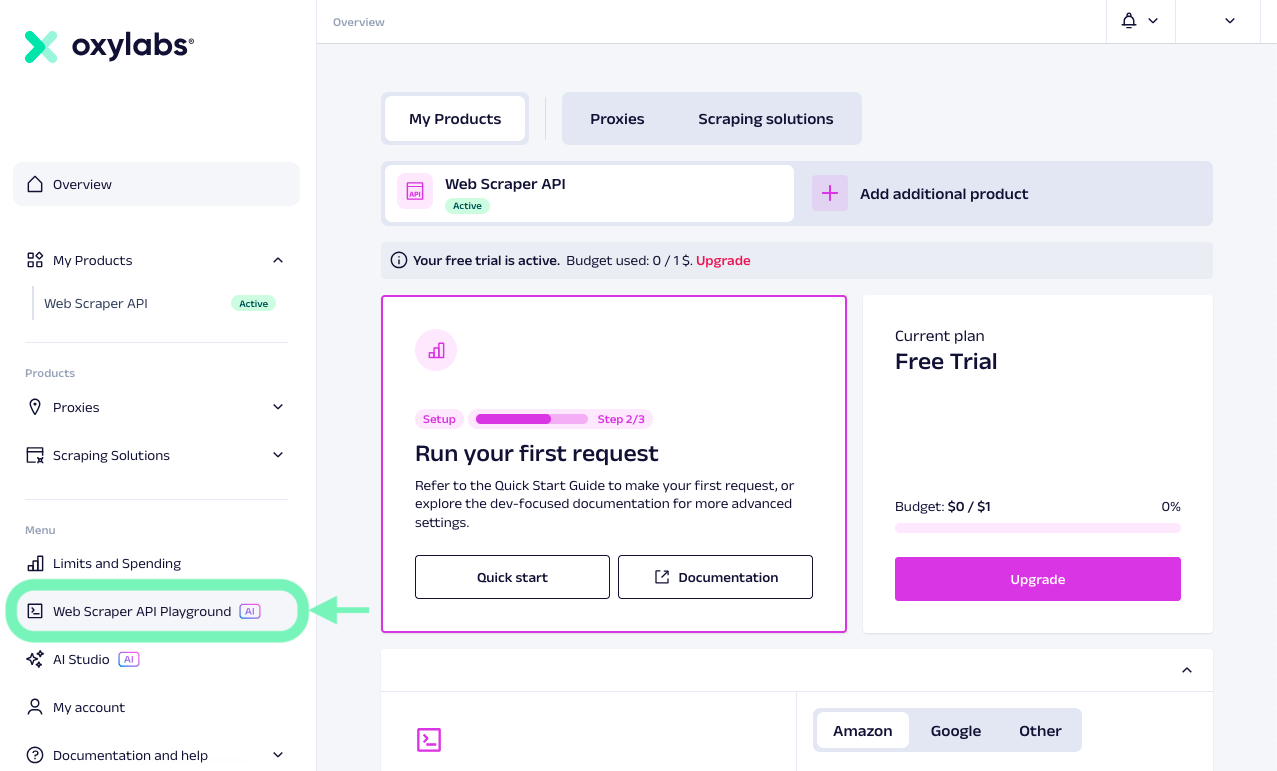
登录 [Oxylabs 仪表板](https://dashboard.oxylabs.io/) 并打开网页爬虫API Playground。
{% endstep %}
{% step %}
### 选择来源
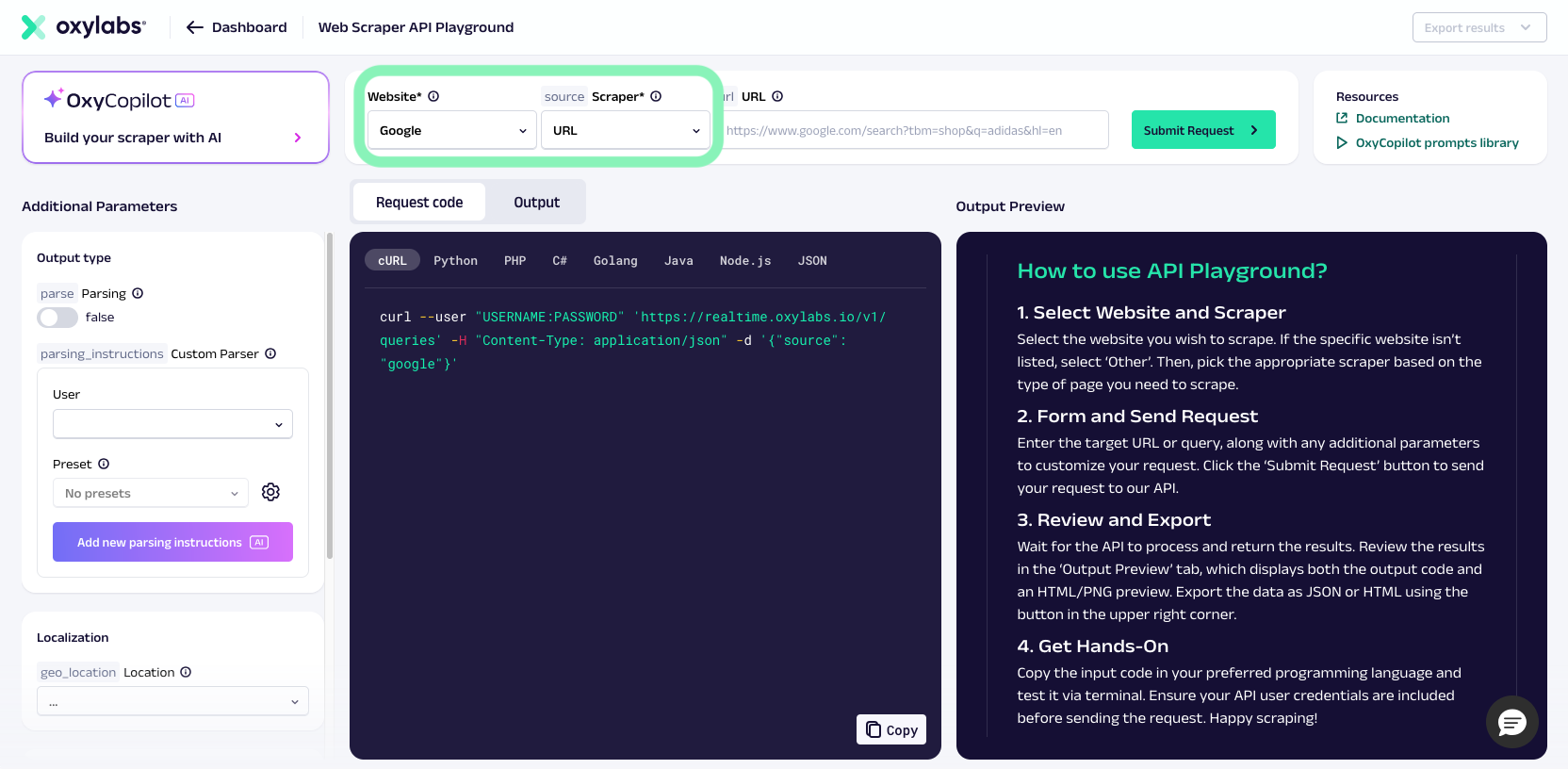
选择一个专用来源——特定网站(例如 Google、Amazon、YouTube 等)以及爬虫来源(例如 URL、 `amazon_product`, `google_search`)或“--Any other website--”,用于下拉菜单中未提及的网站。
{% endstep %}
{% step %}
### 输入查询或 URL
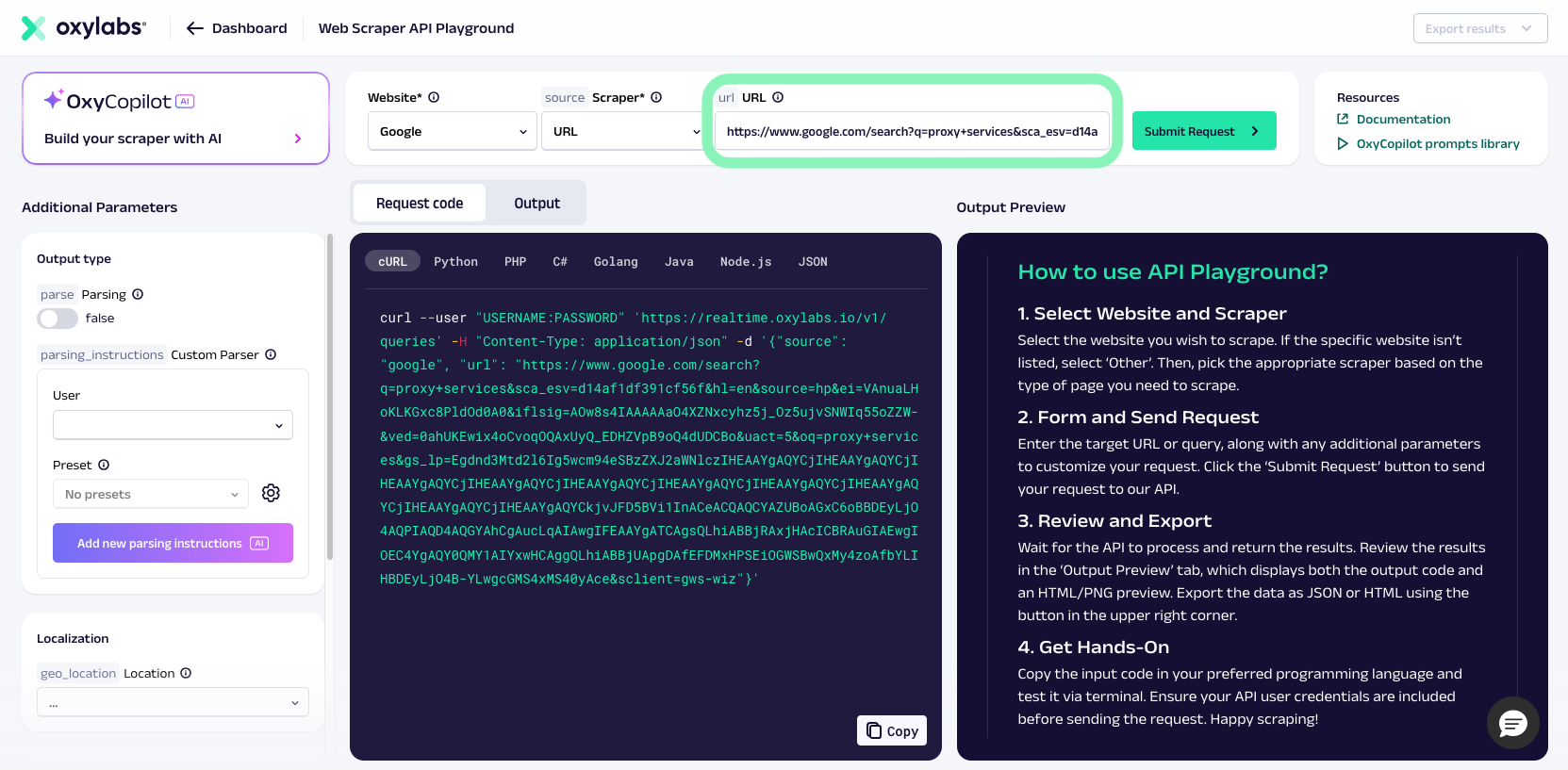
提供你要抓取的搜索查询或页面 URL。
{% endstep %}
{% step %}
### 添加额外参数(可选)
根据你的使用场景调整渲染、解析、本地化或其他选项。
{% endstep %}
{% step %}
### 运行请求
提交请求并立即预览返回的数据。
{% endstep %}
{% step %}
### 导出
如果你对结果满意,可以复制生成的代码片段或你偏好的编程语言中的请求有效载荷,并在脚本或应用中使用。你也可以使用右上角下拉菜单导出 JSON 或 HTML 结果。
{% endstep %}
{% endstepper %}
## 访问与试用
所有 Oxylabs 仪表板用户都可以使用网页爬虫API Playground 来测试 Oxylabs 网页爬虫API的功能。
---
# Agent Instructions
This documentation is published with GitBook. GitBook is the documentation platform designed so that both humans and AI agents can read, navigate, and reason over technical content effectively. Learn more at gitbook.com.
## Querying This Documentation
If you need additional information that is not directly available in this page, you can query the documentation by asking a question.
Perform an HTTP GET request on the following URL with the `ask` and `goal` query parameters:
```
GET https://developers.oxylabs.io/products/cn/web-scraper-api/web-scraper-api-playground.md?ask=&goal=
```
`ask` is the immediate question: it should be specific, self-contained, and written in natural language.
`goal` is what the user is ultimately trying to achieve, the reason they need the answer. Sharing it helps GitBook give you a better, more relevant answer. A goal is most helpful when it describes the outcome the user wants rather than restating the question. For example, with `ask=how do I create an API token`, a goal like `automate deployments from our CI pipeline` lets GitBook tailor the answer to that use case.
The response will contain a direct answer to the question and relevant excerpts and sources from the documentation.
Use this mechanism when the answer is not explicitly present in the current page, you need clarification or additional context, or you want to retrieve related documentation sections.