> For the complete documentation index, see [llms.txt](https://developers.oxylabs.io/llms.txt). Markdown versions of documentation pages are available by appending `.md` to page URLs; this page is available as [Markdown](https://developers.oxylabs.io/products/cn/proxies/datacenter-proxies/proxy-list.md).
# 代理列表
本页信息仅适用于按 IP 计费类型的用户。使用此计费模式,你可以通过提供的端口访问代理列表中的特定 IP。
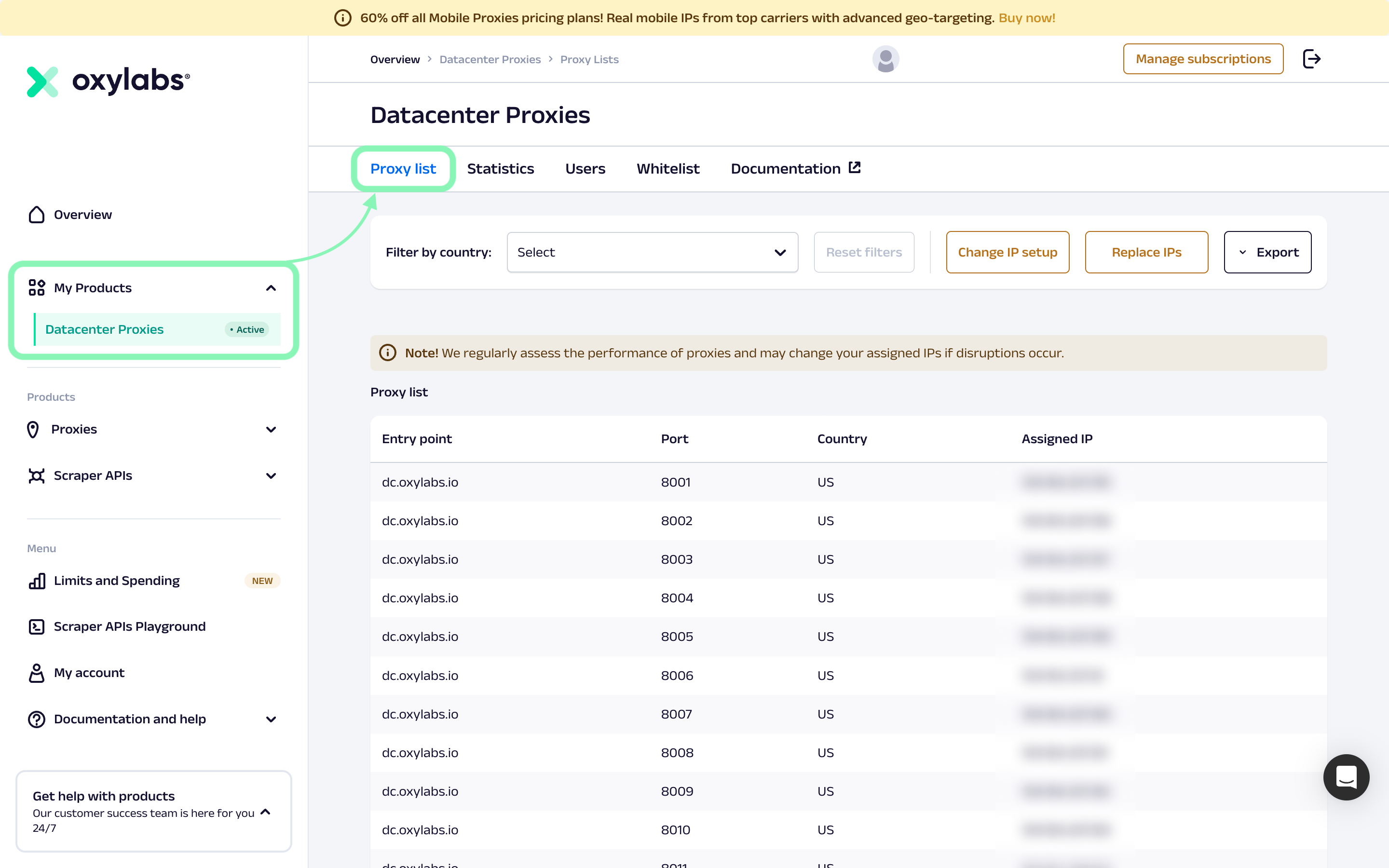
在以下位置查找您已购买的代理完整列表 **我的产品** -> **数据中心代理** -> **代理列表** 仪表板中的菜单。
您的代理列表包含以下信息:
入口点
连接到您的代理的网关 - 此值永远不变,并且始终为 dc.oxylabs.io
端口
用于从列表中访问某个特定代理的具体端口。端口号始终从 8001 开始并递增。
国家
表示您的代理所在地的两字母国家代码。
分配的 IP
分配给所示端口的特定代理。
请注意,在通过发起请求时,您将使用不同的端口来指定要使用的代理/出口 IP `dc.oxylabs.io`,这意味着您不会直接访问您的代理/IP。与直接访问 IP 相比,这种方法可确保服务更稳定、更便捷。集成和配置过程更简单,而且在 IP 更换的情况下,您的端口号不会改变。
{% hint style="info" %}
请注意,系统会自动将 IP 分配到端口。更改套餐后,端口的 IP 分配也可能会发生变化。
{% endhint %}
---
# Agent Instructions
This documentation is published with GitBook. GitBook is the documentation platform designed so that both humans and AI agents can read, navigate, and reason over technical content effectively. Learn more at gitbook.com.
## Querying This Documentation
If you need additional information that is not directly available in this page, you can query the documentation dynamically by asking a question.
Perform an HTTP GET request on the current page URL with the `ask` query parameter, and the optional `goal` query parameter:
```
GET https://developers.oxylabs.io/products/cn/proxies/datacenter-proxies/proxy-list.md?ask=&goal=
```
`ask` is the immediate question: it should be specific, self-contained, and written in natural language.
`goal` is optional and describes the broader end goal you are ultimately trying to accomplish on behalf of the user. GitBook uses it to tailor the answer towards what is most useful for that goal.
The response will contain a direct answer to the question and relevant excerpts and sources from the documentation.
Use this mechanism when the answer is not explicitly present in the current page, you need clarification or additional context, or you want to retrieve related documentation sections.