> For the complete documentation index, see [llms.txt](https://developers.oxylabs.io/llms.txt). Markdown versions of documentation pages are available by appending `.md` to page URLs; this page is available as [Markdown](https://developers.oxylabs.io/integrations/cn/proxy-integrations/dedicated-datacenter-proxies-guides/enterprise/sphere.md).
# Sphere
[**Sphere**](https://sphere.tenebris.cc/) 是一款浏览器,旨在增强安全性和匿名性,并帮助管理多账号任务。
集成 Oxylabs [**独享数据中心代理**](https://oxylabs.io/products/datacenter-proxies/dedicated-datacenter-proxies) 在 Windows 上使用 Sphere(Mac OS 和 Linux 上的流程相同),请按照以下步骤操作:
**步骤 1。** [**下载**](https://sphere.tenebris.cc/) Sphere 浏览器。将下载的文件解压到首选位置,然后点击 `Sphere.exe` 以运行程序。
**步骤 2。** 使用仅密码登录方式设置你的账户。
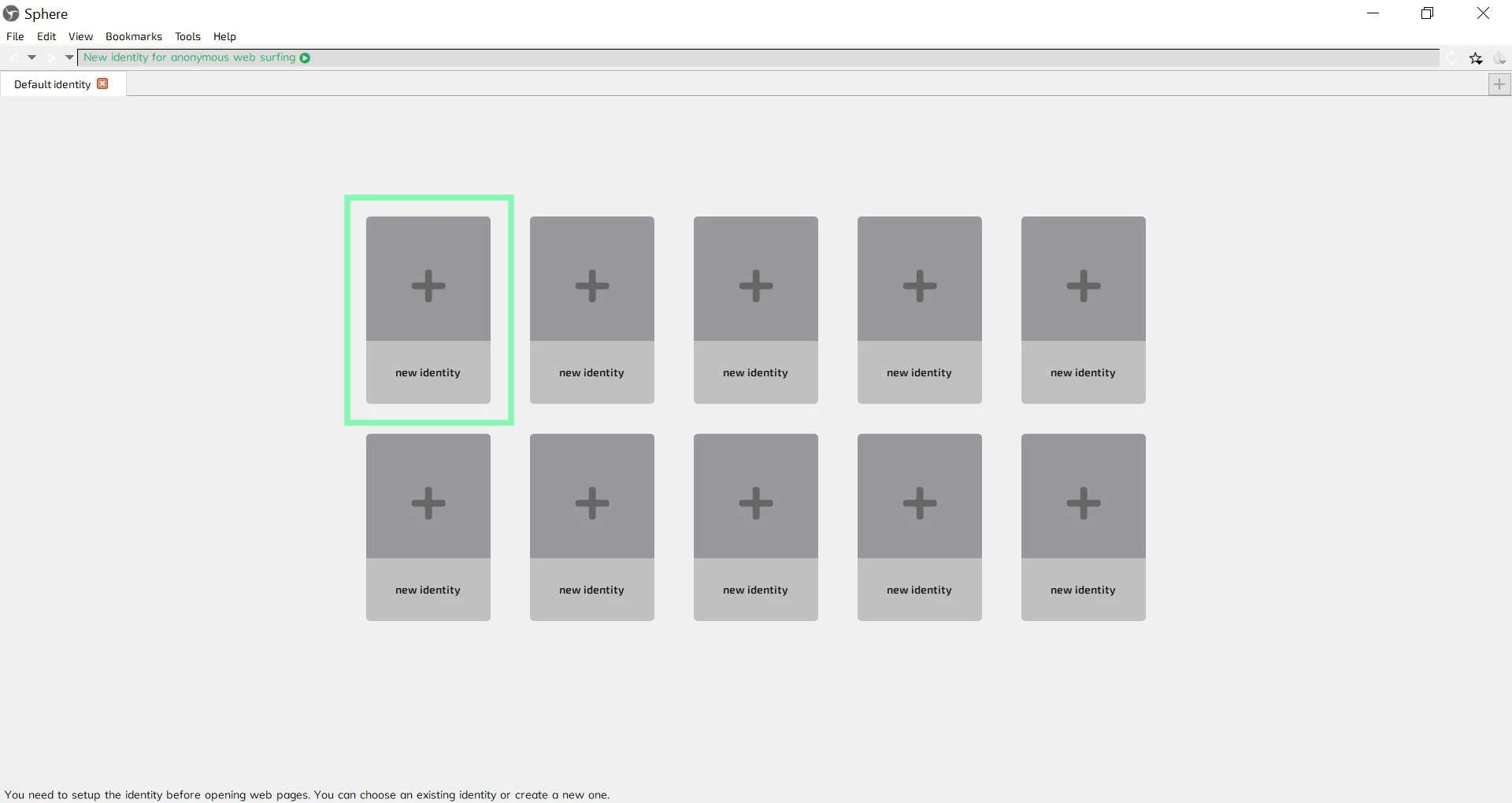
**步骤 3。** 在主屏幕上,点击一个 **新身份**.
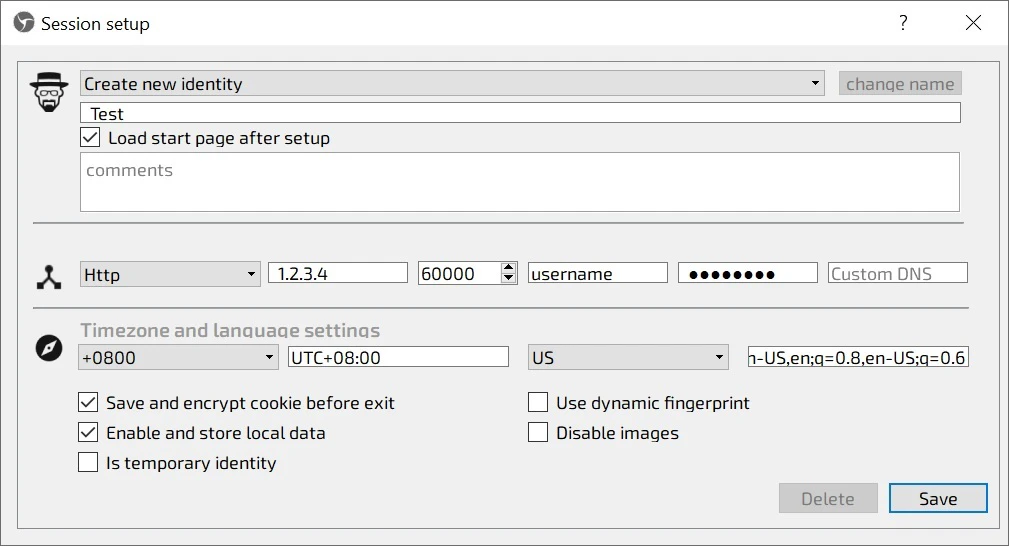
**步骤 4。** 在 **会话设置** 窗口,填写身份名称,并根据你的代理购买情况选择连接类型:
**代理类型:** `HTTP` 或 `SOCKS5`
**连接 IP**:一个特定的 IP 地址(`1.2.3.4` - 示例)
{% hint style="info" %}
对于独享数据中心代理,您需要从已购买的列表中选择一个 IP 地址。请参阅我们的 [**`文档`**](broken://pages/d5bbd36d0bb27800c335757921a3776e5c9d1459) 。
{% endhint %}
**代理端口**: `60000`
**用户名:** `username`
**密码:** `密码`
{% hint style="info" %}
您可以在我们的 [**仪表板**](https://dashboard.oxylabs.io/en/)**.**
{% endhint %}
**步骤 5。** 详细设置时区和语言设置,然后点击 **保存**.
新身份已配置完成。
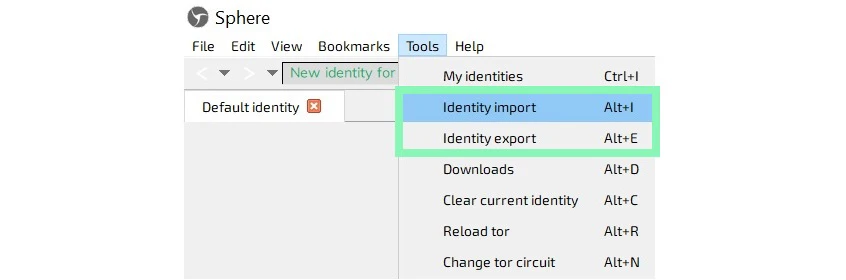
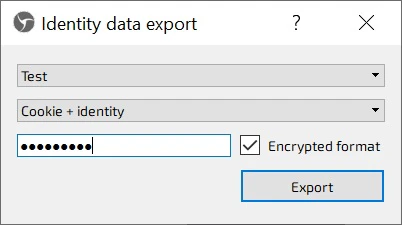
你可以通过点击 **身份导入** 或 **身份导出** 在 **工具**.
就是这样!您的设置已完成。
查找原始的 Sphere 集成博客文章 [这里](https://oxylabs.io/resources/integrations/sphere).
---
# Agent Instructions
This documentation is published with GitBook. GitBook is the documentation platform designed so that both humans and AI agents can read, navigate, and reason over technical content effectively. Learn more at gitbook.com.
## Querying This Documentation
If you need additional information that is not directly available in this page, you can query the documentation dynamically by asking a question.
Perform an HTTP GET request on the current page URL with the `ask` query parameter, and the optional `goal` query parameter:
```
GET https://developers.oxylabs.io/integrations/cn/proxy-integrations/dedicated-datacenter-proxies-guides/enterprise/sphere.md?ask=&goal=
```
`ask` is the immediate question: it should be specific, self-contained, and written in natural language.
`goal` is optional and describes the broader end goal you are ultimately trying to accomplish on behalf of the user. GitBook uses it to tailor the answer towards what is most useful for that goal.
The response will contain a direct answer to the question and relevant excerpts and sources from the documentation.
Use this mechanism when the answer is not explicitly present in the current page, you need clarification or additional context, or you want to retrieve related documentation sections.