| 地区 | 国家 |
|---|---|
| 欧洲 | 法国、土耳其 |
| 亚洲 | 中国、伊朗、朝鲜、叙利亚 |
| 美洲 | 古巴 |
| 参数 | 描述 | 默认值 |
|---|---|---|
| source | 设置爬虫。使用 google_ai_mode. | – |
| 查询 | 提交给 Google AI Mode 的提示或问题。必须少于 400 个字符。 | – |
| render | 设置为 html 对该来源是必需的。 更多信息. | – |
解析 | 设置为以下值时返回解析后的数据: true. | false |
geo_location | 结果应适配的地理位置。更多信息,请阅读我们建议的 geo_location 参数结构 此处. | – |
callback_url | 回调端点的 URL。 更多信息 | – |
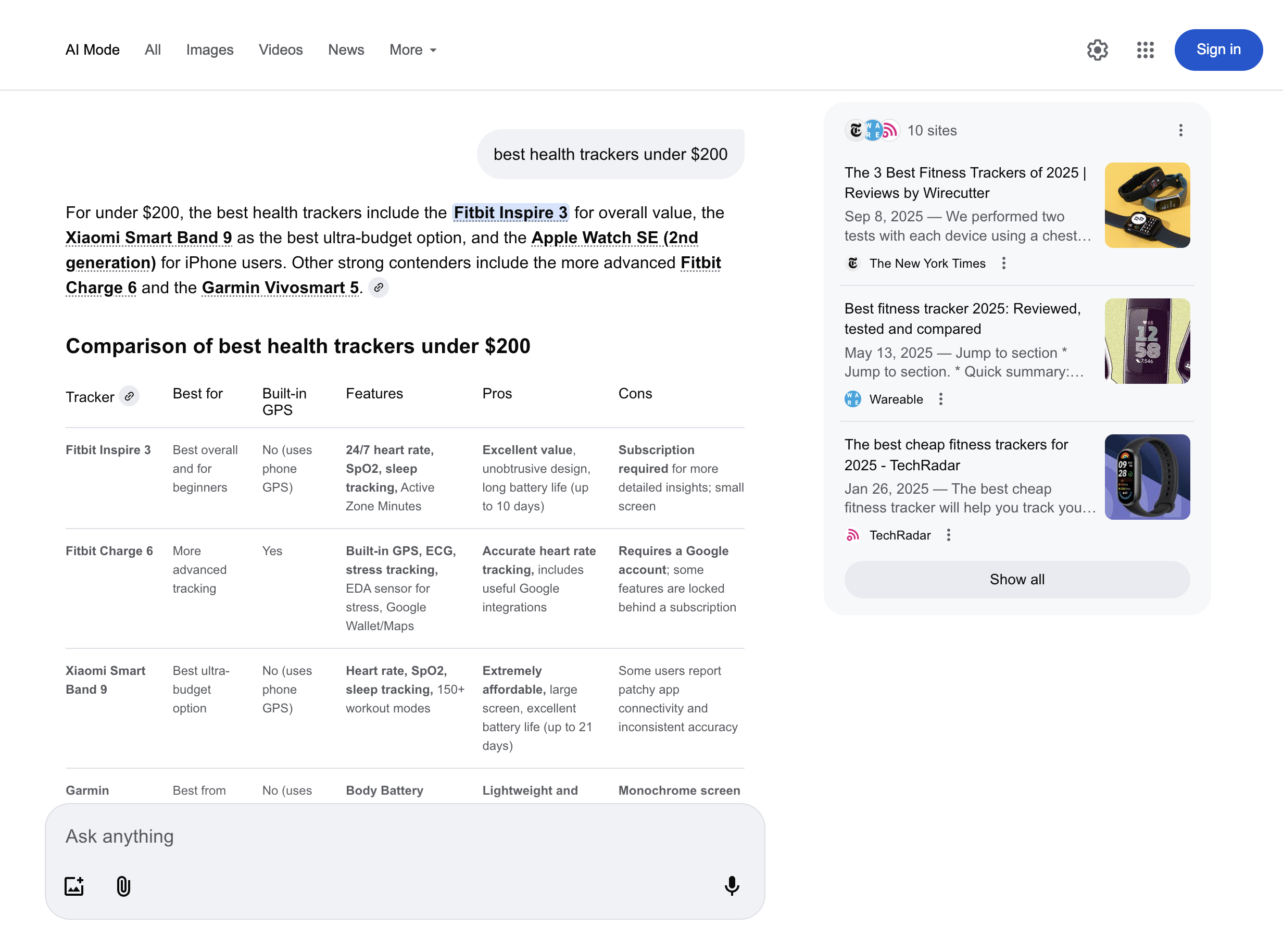
google_ai_mode 结构化输出| 键名 | 描述 | 类型 |
|---|---|---|
url | Google AI 模式的 URL。 | 字符串 |
page | 页码。 | 整数 |
content | 包含已解析的 Google AI Mode 响应数据的对象。 | 对象 |
content.links | 响应中引用的外部链接列表。显示在页面右侧的框中。 | 数组 |
content.prompt | 提交给 Google AI Mode 的原始提示。 | 字符串 |
content.citations | 包含 URL 和关联文本的引用列表,如 Google AI Mode 响应主区域所示。引用同一文本的多个 URL 会分组到一个列表中。 | 数组 |
content.response_text | 来自 Google AI Mode 的完整响应文本。 | 字符串 |
content.parse_status_code | 解析操作的状态代码。 | 整数 |
创建时间 | 抓取任务创建时的时间戳。 | 时间戳 |
更新时间 | 抓取任务完成时的时间戳。 | 时间戳 |
任务ID | 与抓取任务关联的任务ID。 | 字符串 |
状态码 | 抓取任务的状态代码。你可以查看下文所述的抓取器状态代码 此处. | 整数 |